
MELSERVO-JE Servo System One Touch Tuning & Worldwide FA Support
|

Detailed Product Description
|
Global Standard MELSERVO-JE Servo System The MELSERVO-JE Servo System is a globally compliant industrial
automation core device that meets international standards and
certifications, while supporting both sink and source wiring
configurations for universal compatibility across regions. Equipped
with advanced one-touch tuning functionality, it eliminates the
need for a computer to automatically complete servo gain
adjustment, vibration suppression, and robust filter configuration,
significantly lowering operational barriers. Backed by a worldwide
network of FA centers, it delivers timely technical support and
after-sales service to users around the globe. Combined with
reliable features such as instantaneous power failure tolerance and
high-resolution encoding, the MELSERVO-JE stands out as a top-tier
industrial control solution that balances ease of use,
compatibility, and global service assurance. Product Features
Product Advantages
Core Technical Specifications
Product Model List
Application Fields
Common Q&A Q: The motor doesn't respond at all when powered on, and the
indicator light won't turn on. What's wrong? A: First, check if the power cable is fully plugged in and if the
terminal connections are loose. Then test if the input voltage
falls within the drive's required range. If all these check out,
the power module might be burnt out--you'll need to contact a
technician for repair. Q: The motor runs but keeps vibrating, messing up machining
accuracy. How to fix this? A: First, check if the encoder cable is loose or damaged--replug it
firmly. Then adjust the gain parameter in the drive; don't set it
too high. If the vibration persists, inspect the mechanical
transmission parts, like whether the coupling is aligned properly
or if the load is unbalanced. Just tighten any loose components. Q: It trips with an overheating alarm after running for a while.
What should I do? A: First, check if the drive's cooling fan is working and if the
air vents are clogged with dust--clean them thoroughly and try
again. If the ambient temperature exceeds 40°C, find a way to cool
down the working environment. Also, overloading can cause
overheating--either reduce the load or switch to a higher-capacity
motor. Q: It keeps throwing an overcurrent alarm (e.g., AL.E6). How to
handle this? A: Power off and check if the motor cable is damaged,
short-circuited, or has poor plug contact. Manually turn the motor
shaft to see if the mechanism is jammed. Then verify if the motor
model parameters in the drive are set correctly--wrong parameters
can also trigger alarms. If all else fails, test with a different
motor to rule out hardware issues. Q: Can't establish communication and the drive won't receive
control commands. What to check? A: First, check if the communication cable is broken or if the
interface is corroded--try replugging it or using a new cable. Then
confirm that the communication protocol settings in the software
are correct. Using shielded cables can reduce electromagnetic
interference. You can also try restoring factory settings and
reconfiguring the drive. Q: The motor speed fluctuates erratically and isn't stable. What
causes this? A: It's most likely an encoder feedback issue. Check the encoder
wiring and power supply stability--replace the encoder if it's
faulty. It could also be that the drive's speed loop parameters are
not properly set; adjust the gain value, avoid sudden load changes,
or enable the load adaptation function. Q: The drive shows normal status, but the motor has no output at
all. Why? A: First, check if the emergency stop circuit is reset. Then
confirm that the enable signal voltage is sufficient (24V). Also, a
jammed load can cause no output--manually rotate the motor shaft to
eliminate mechanical jamming issues. Q: It occasionally pops up random alarms, which go away after a
restart. Do I need to repair it? A: These temporary alarms are usually caused by voltage
fluctuations or electromagnetic interference--no urgent repair is
needed. You can first check the power supply stability, add
shielding to the cables, and tighten any loose wiring connections.
If the alarms happen frequently, then contact a professional
technician for troubleshooting. |
||||||||||||||||||||||||||||||||||||||||||||||||||||||
| Product Tags: MELSERVO-JE Servo System Servo System One Touch Tuning MELSERVO-JE Servo Drive Motor |
Related Products

|
1FL2 Servo Motor + S200 Drive | Compact Design & Reliable Performance |

|
MINAS A7 Servo Drives – High Precision for Global Industrial Applications |
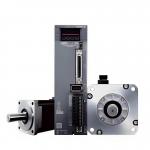
|
MELSERVO-J5 Servo Drive | High Precision Motion Control for Industrial Automation |

|
Σ-V Servo Drive: Cost-Effective Solution for General Industrial Automation |

|
M2BAX Servo Motor - High Precision & Energy Saving for Industrial Automation |
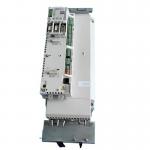
|
ACSM1 Servo Drive: High Precision Motion Control for Demanding Machinery |
Email to this supplier