
Biolight M66 Patient Monitor Oxygen Interface Cable M0301025-0410
|


|
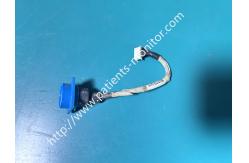
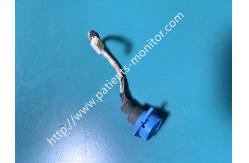
Biolight M66 Patient Monitor Oxygen Interface Cable M0301025-0410
Main function:
This interface is the core hub of the Biolight M66 monitor's oxygen monitoring system: it precisely connects to the oxygen tubing and pulse oximeter probe via a blue gas path interface, establishing a sealed, leak-free gas path channel to ensure the accuracy of oxygen concentration acquisition; at the same time, it transmits the acquired oxygenation data to the host via a shielded cable, allowing medical staff to monitor key information such as the patient's blood oxygen and oxygen concentration in real time, and also preventing external dust and disinfectant from seeping in, protecting the internal gas path and circuit modules of the device from contamination.
About the Interface
1. Component Structure: Blue snap-on pneumatic interface + shielded
transmission cable + white connector terminals
Installation and Removal Methods
Removal Steps:
1. Before operation, turn off the power to the Biolight M66 monitor, disconnect all external oxygen tubing, probes, and power cords, and place the device stably on the operating table. 2. Pinch the outside of the blue gas line connector, gently pull outwards and slowly rotate, using the springy clips to remove the connector from the slot on the device. Do not pry forcefully to avoid damaging the internal gas line connectors. 3. Locate the white connector at the end of the cable, pinch the spring clips on both sides of the connector, and gently pull it off (do not pull the cable directly to prevent pin breakage or cable damage). The old connector assembly can then be completely removed.
Installation Steps:
1. Take out the new M0301025-0410 oxygen connector. First, align the white terminal with the corresponding connector on the main board, insert it smoothly, and secure the spring clips, ensuring a firm and secure connection.
2. Align the blue gas line connector with the dedicated slot on the side of the device, pressing evenly and vertically until you hear a "click" sound. Gently pull the connector to confirm it is secure and does not detach.
3. Connect the oxygen tubing or pulse oximeter probe and check that the gas path is unobstructed and leak-free; turn on the power and confirm that the monitor can normally collect and display oxygen concentration and pulse oximetry data to complete the installation. |
| Product Tags: Biolight M66 patient monitor cable oxygen interface cable M0301025-0410 patient monitor parts with warranty |

|
Mindray Patient Monitor Battery LI13I001A Suit For Ipm5 Ipm8 Ipm10 Ipm12 IMEC5 IMEC8 IMEC10 IMEC12 New |

|
051-000943-00 Patient Monitor Spo2 Board Mindray T1 IPM12 IPM10 IPM8 Imec8 Imec10 Imec12 |

|
Patient Monitor Printer Recorder TR60-F Mindray IMEC7 IMEC8 IMEC10 IMEC12 IPM8 IPM9 IPM10 IPM12 MEC T5 T6 T8 Series |

|
PHiliph MX400 MX450 MX Series Patient Monitor AC/DC IV2-FLEX ASSY-PWR AC / DC Power Supply 453564281221 |

|
P/N 453564271711 PHiliph MX400 Mx450 MX Series Patient Monitor Mainboard |

|
MX450 Patient Monitor Battery Board Power Supply Hospital Equipment |