
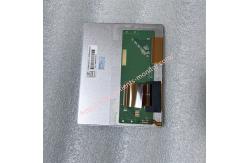
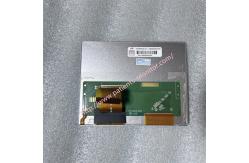
Edan F200 fetal monitor display screen 20000458-02 AT056TN52 V.3 GZ0560NA00350
|



|
Edan F200 fetal monitor display screen 20000458-02 AT056TN52 V.3 GZ0560NA00350
► Brief Description
The 20000458-02 AT056TN52 V.3 display screen is a 5.6-inch a-Si TFT-LCD screen with a resolution of 640(RGB)×480. This resolution provides relatively fine image quality, clearly showing the subtle fluctuations in the fetal heart rate curve and the details of various wave forms. It can display a 112.896×84.672 mm display area, ensuring the neatness of the monitoring data layout. The horizontal viewing angle is up to 70°, and the vertical viewing angle is 50° and 70° respectively, ensuring that medical staff can see a distortion-free image. This display screen is silver in color and made of metal, making it very sturdy and durable. It is compatible with the Edan F200 fetal monitor, which is widely used in medical obstetrics and gynecology departments.
► Specifications
►Detailed Photos
►Features
1.Slim and Durable Design The AT056TN52 V.3 display measures 126.5 × 100 × 5.7 mm, with a well-controlled weight. Its matte finish effectively reduces glare from ambient light or sunlight, preventing interference with data viewing for medical personnel.
2.This display supports side-lit LED backlighting with a lifespan of up to 20,000 hours. This long-life backlight design reduces the frequency of maintenance for medical equipment, ensuring the reliability of the monitor during long-term operation.
3.The AT056TN52 V.3 uses a Parallel RGB signal interface connected via a 50-pin FPC cable. It supports multiple voltage specifications including 3.3V/5.0V/15V/-10V, ensuring stable display even under voltage fluctuations.
►Display Installation Steps
1. Remove the Old Screen First, place the device face down, being careful not to press on the knobs. Then, use a Phillips screwdriver to unscrew the screws securing the display assembly.
2. Disconnect Internal Connections Carefully separate the display assembly from the main unit, being careful not to break the connecting cables on the back. Observe and note the folding pattern of the flexible cable, then carefully remove the screws and connectors securing it.
3. Install the New Screen Place the new display assembly in place and, following the reverse order noted earlier, reconnect the flexible cable and reinstall the securing screws.
4. Assembly and Testing Completely assemble the display assembly with the main unit and tighten all securing screws. After connecting the power and reinstalling the battery, power on and test. Check if the display is clear and the colors are uniform; if it has touch functionality, also check the touch sensitivity.
If you have any question about our Edan F200 fetal monitor display screen 20000458-02 AT056TN52 V.3 GZ0560NA00350, please feel free to contact me. |
||||||||||||||||||||||||||||||
| Product Tags: Edan F200 fetal monitor display patient monitor replacement screen AT056TN52 LCD display module |

|
Mindray Patient Monitor Battery LI13I001A Suit For Ipm5 Ipm8 Ipm10 Ipm12 IMEC5 IMEC8 IMEC10 IMEC12 New |

|
051-000943-00 Patient Monitor Spo2 Board Mindray T1 IPM12 IPM10 IPM8 Imec8 Imec10 Imec12 |

|
Patient Monitor Printer Recorder TR60-F Mindray IMEC7 IMEC8 IMEC10 IMEC12 IPM8 IPM9 IPM10 IPM12 MEC T5 T6 T8 Series |

|
PHiliph MX400 MX450 MX Series Patient Monitor AC/DC IV2-FLEX ASSY-PWR AC / DC Power Supply 453564281221 |

|
P/N 453564271711 PHiliph MX400 Mx450 MX Series Patient Monitor Mainboard |

|
MX450 Patient Monitor Battery Board Power Supply Hospital Equipment |