
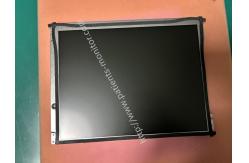
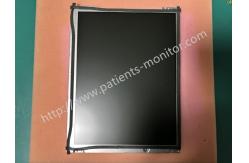
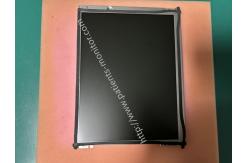
Biocare IM12 Patient Monitor LCD Display Screen LQ121S1LG55 SS0292-A 100105-KB
|


|
Biocare IM12 Patient Monitor LCD Display Screen LQ121S1LG55 SS0292-A 100105-KB
Display Introduction
Main Functions
1. Real-time display of waveforms and values of key physiological parameters such as ECG, HR, RESP, NIBP, SpO2, and TEMP, along with alarm prompts, timestamps, and device operating status, allowing medical staff to intuitively understand changes in the patient's condition.
2. Displays menu options and parameter setting interfaces in conjunction with the monitor's operating logic, assisting medical staff in switching monitoring modes and adjusting thresholds, serving as an important platform for human-computer interaction.
3. Built-in adjustable backlight module allows for flexible brightness adjustment based on the clinical environment ( strong daylight or nighttime ward lighting), ensuring clear readability while avoiding strong light stimulation to patients or interference with medical staff operations.
4. Displays power-on self-test results, battery level, and module connection status, helping medical staff quickly determine if the device is operating normally and promptly troubleshoot potential faults.
Display Failure
Notice:
1. Avoid physical damage: Handle with care during transport and installation. Do not squeeze or bump the screen surface, and never scratch it with sharp objects. Use moderate torque when tightening screws to prevent screen deformation or internal component detachment.
2. Cleaning and maintenance guidelines: For daily cleaning, only use a lint-free cloth dampened with 70% medical alcohol to gently wipe the screen surface. Do not spray liquid directly onto the screen to prevent it from seeping into the internal circuitry and damaging it. |
||||||||||||||||||
| Product Tags: Biocare IM12 patient monitor LCD screen LQ121S1LG55 display replacement part patient monitor screen with warranty |

|
Mindray Patient Monitor Battery LI13I001A Suit For Ipm5 Ipm8 Ipm10 Ipm12 IMEC5 IMEC8 IMEC10 IMEC12 New |

|
051-000943-00 Patient Monitor Spo2 Board Mindray T1 IPM12 IPM10 IPM8 Imec8 Imec10 Imec12 |

|
Patient Monitor Printer Recorder TR60-F Mindray IMEC7 IMEC8 IMEC10 IMEC12 IPM8 IPM9 IPM10 IPM12 MEC T5 T6 T8 Series |

|
PHiliph MX400 MX450 MX Series Patient Monitor AC/DC IV2-FLEX ASSY-PWR AC / DC Power Supply 453564281221 |

|
P/N 453564271711 PHiliph MX400 Mx450 MX Series Patient Monitor Mainboard |

|
MX450 Patient Monitor Battery Board Power Supply Hospital Equipment |