
Biocare IM12 Patient Monitor Parts Power Supply Board 02045052 E204460 94V-0
|

|
Biocare IM12 Patient Monitor Parts Power Supply Board 02045052 E204460 94V-0
Brief Introduction:
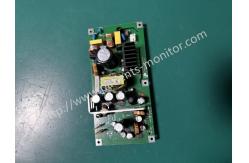
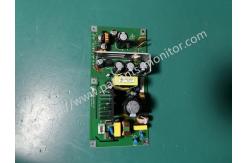
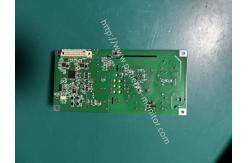
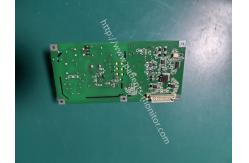
This power board provides stable power to the Biocare IM12. Key components include: a yellow high-frequency transformer responsible for primary and secondary voltage conversion; multiple black electrolytic capacitors and copper-colored inductors forming a filtering circuit to ensure stable output voltage; and black heatsinks closely attached to heat-generating components, working in conjunction with the board's copper-clad heatsink design to prevent overheating. It converts external AC power or internal battery DC power into multiple precise low-voltage DC currents through transformers, capacitors, and other components to power the motherboard, display, and other components. It also integrates overvoltage and overcurrent protection and battery charge/discharge management functions.
Power Supply Failure
AC Power Supply Connection:
Before connecting the AC power supply, first check the status of
the monitor and its associated modules. Follow these steps to
connect the AC power:
Special note: Ensure the monitor is properly grounded at all times. Disassembling the Power Board 1. Remove the four M3*8 screws from the back cover by unscrewing
them completely. 2. Separate the front and back covers, then disconnect the
connecting cables for the screen and button board. 3.To remove the power board: Unscrew the three M3*6 screws and two
ST2.9*8 screws completely. When lifting the power board out, be
sure to disconnect all power connection cables first. |
|||||||||
| Product Tags: Biocare IM12 power supply board Patient monitor replacement power board 94V-0 rated monitor parts |

|
Mindray Patient Monitor Battery LI13I001A Suit For Ipm5 Ipm8 Ipm10 Ipm12 IMEC5 IMEC8 IMEC10 IMEC12 New |

|
051-000943-00 Patient Monitor Spo2 Board Mindray T1 IPM12 IPM10 IPM8 Imec8 Imec10 Imec12 |

|
Patient Monitor Printer Recorder TR60-F Mindray IMEC7 IMEC8 IMEC10 IMEC12 IPM8 IPM9 IPM10 IPM12 MEC T5 T6 T8 Series |

|
PHiliph MX400 MX450 MX Series Patient Monitor AC/DC IV2-FLEX ASSY-PWR AC / DC Power Supply 453564281221 |

|
P/N 453564271711 PHiliph MX400 Mx450 MX Series Patient Monitor Mainboard |

|
MX450 Patient Monitor Battery Board Power Supply Hospital Equipment |