
Biolight BLT Q5 Patient Monitor power switch button film silicone material used
|


|
Biolight BLT Q5 Patient Monitor power switch film
► Brief Description
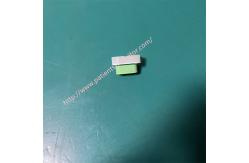
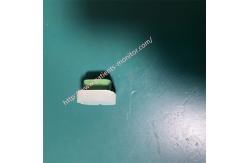
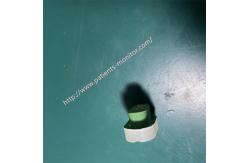
The power switch button membrane is made of a special silicone material that is scratch-resistant and resistant to chemical disinfectants. It is green in color and features a clear power symbol and necessary markings, ensuring visibility even in dimly lit medical environments. The bottom layer is an adhesive material with some flexibility, ensuring the membrane adheres firmly and smoothly to the monitor's power button while maintaining sufficient flexibility to accommodate minor deformations.
► Specifications
►Detailed Photos
►Advantages
1. Withstands multiple daily wipes with chlorine-containing disinfectants, alcohol, or other medical disinfectants.
2. Features a completely sealed design to prevent liquid from seeping under the membrane and corroding the internal circuitry.
3. Provides excellent tactile feedback, allowing healthcare workers to clearly perceive whether an operation was successful, even while wearing gloves, avoiding repeated pressing due to uncertainty.
4.Long service life; the BLT Q5's switch membrane can withstand hundreds of thousands or even millions of pressing tests, ensuring it will not fail due to physical fatigue within 5-10 years.
►Installation steps
1. Remove the old key film. Heat and soften it. Use a hairdryer to evenly heat the old film back and forth for 30 seconds to 1 minute. This will soften the adhesive and make it easier to peel off completely.
Carefully insert a plastic pry bar into the gaps of the old film, gently pry up a corner, hold this corner with your fingers, and peel it back very slowly and steadily.
2. Clean the adhesive area. Gently wipe away all dust from the screen and key area with a dry, lint-free soft cloth.
Then wipe the key area with a new lint-free cloth dampened with a small amount of anhydrous ethanol, ensuring the surface is absolutely clean, dry, and oil-free.
3. Install the new key film. Align the exposed adhesive part with the corresponding key, gently place it down and press to secure it, ensuring it is firmly adhered without air bubbles.
4. Final inspection and testing. Inspect the appearance from all angles to ensure complete alignment and no looseness or deformation.
After confirming everything is correct, connect the power supply and test the power switch and membrane keys to ensure they function properly.
Thanks for your time, if you are interested in Biolight BLT Q5 Patient Monitor power switch film , please contact me at any time, Wish you have a good life.
|
||||||||||||||||||||||||||||
| Product Tags: Biolight BLT Q5 power switch button patient monitor silicone button film Biolight monitor replacement switch film |

|
Mindray Patient Monitor Battery LI13I001A Suit For Ipm5 Ipm8 Ipm10 Ipm12 IMEC5 IMEC8 IMEC10 IMEC12 New |

|
051-000943-00 Patient Monitor Spo2 Board Mindray T1 IPM12 IPM10 IPM8 Imec8 Imec10 Imec12 |

|
Patient Monitor Printer Recorder TR60-F Mindray IMEC7 IMEC8 IMEC10 IMEC12 IPM8 IPM9 IPM10 IPM12 MEC T5 T6 T8 Series |

|
PHiliph MX400 MX450 MX Series Patient Monitor AC/DC IV2-FLEX ASSY-PWR AC / DC Power Supply 453564281221 |

|
P/N 453564271711 PHiliph MX400 Mx450 MX Series Patient Monitor Mainboard |

|
MX450 Patient Monitor Battery Board Power Supply Hospital Equipment |