
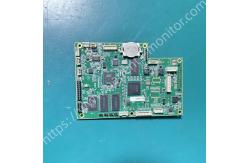
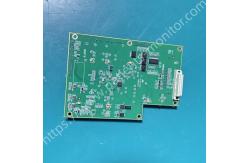
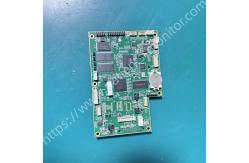
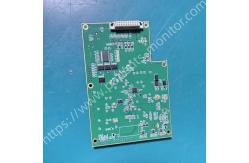
Biocare IM12 Patient Monitor Mainboard Motherboard 02040128 Assembly Spare Parts
|
|
Biocare IM12 Patient Monitor Mainboard Motherboard 02040128 Assembly Spare Parts Features: - Multi-parameter synchronous processing capability: The motherboard integrates a high-performance analog-to-digital converter (ADC) and signal processing unit, capable of simultaneously receiving and processing signals from different sensors. It supports the simultaneous acquisition and analysis of multiple physiological signals such as ECG, NIBP, SpO2, Resp, and Temp. - Modular design: The motherboard works collaboratively with components such as the display and power board. Its circuit design emphasizes anti-interference capabilities, ensuring clear and stable display of physiological waveforms (such as ECG) even in the complex electromagnetic environment of a hospital. - The motherboard runs an embedded real-time operating system, supporting alarm management (such as tachycardia/slow heart rate alarms), data storage, and integration with hospital information systems.
How to install? 1. With the monitor facing up, unscrew all screws securing the back cover, gently pry open the clips, and remove the back cover. 2. Locate the mainboard, located in the center of the monitor. Take a photo to document the locations of all connection ports. 3. Unscrew the screws on the board, disconnect all cables, and gently remove the old mainboard. 4. Insert the new mainboard, align it with the screw holes, and tighten the screws to ensure the mainboard is secure. Connect all cables to the original ports. 5. Replace the back cover, but do not tighten all screws yet. Reinstall the back cover and power on to test. 6. Press the power button. If the screen lights up normally, displays the startup screen, and the fan spins normally, the mainboard installation is basically successful. 7. Tighten all screws to complete the installation.
Notice: Always disconnect all power to the device and remove the spare battery to prevent short circuits and damage to components.
FAQ
1.What checks are required upon receipt? Upon receiving your order, please first check that the outer packaging is intact, undamaged, dry, and shows no signs of tampering. Verify the quantity of products, ensure there is no physical damage to the appearance, and test that all functions are normal before signing for the package.
2.How long does it usually take to resolve a customs detention? With complete documentation, processing typically takes 1-3 business days. We provide full follow-up and will not delay or shirk responsibility.
3.What if there are logistics delays? In case of logistics delays, we will immediately contact the carrier to expedit the transit, and communicate the reason and estimated recovery time to minimize the delay.
4.Is the fuel surcharge included in the shipping price? Yes, it is included. The quoted price is all-inclusive; no additional fuel surcharge or handling fee will be charged.
5.Do I need to pay the difference if I change the logistics channel? Changing to a higher-priced channel requires paying the difference; changing to a lower-priced channel will result in a refund of the difference, with refunds for overpayments and additional payments for underpayments.
|
||||||||||||||||||||
| Product Tags: Biocare IM12 patient monitor motherboard patient monitor spare parts motherboard Biocare IM12 mainboard assembly |

|
Mindray Patient Monitor Battery LI13I001A Suit For Ipm5 Ipm8 Ipm10 Ipm12 IMEC5 IMEC8 IMEC10 IMEC12 New |

|
051-000943-00 Patient Monitor Spo2 Board Mindray T1 IPM12 IPM10 IPM8 Imec8 Imec10 Imec12 |

|
Patient Monitor Printer Recorder TR60-F Mindray IMEC7 IMEC8 IMEC10 IMEC12 IPM8 IPM9 IPM10 IPM12 MEC T5 T6 T8 Series |

|
PHiliph MX400 MX450 MX Series Patient Monitor AC/DC IV2-FLEX ASSY-PWR AC / DC Power Supply 453564281221 |

|
P/N 453564271711 PHiliph MX400 Mx450 MX Series Patient Monitor Mainboard |

|
MX450 Patient Monitor Battery Board Power Supply Hospital Equipment |