
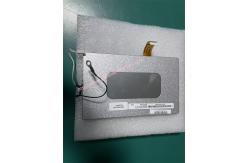
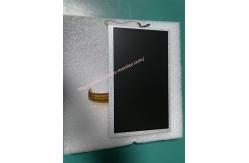
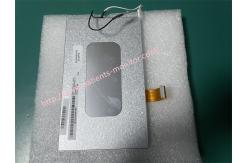
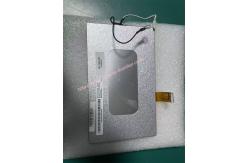
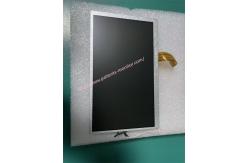
Goldway UT3000A monitor display AA070FW03 patient monitor part medical equipment
|
|
Goldway UT3000A monitor display AA070FW03 patient monitor part medical equipment
►Brief Introduction
The UT3000A monitor is a flexible and reliable device for monitoring patient vital signs while on the go or at the bedside. It is compact, lightweight, and offers comprehensive clinical measurement capabilities. The size of monitor display is 11*10cm for easy and convenient operation.The UT3000A monitor display is made of metal, making it sturdy and durable. The connection cable on the back of the monitor is used to connect the screen to the template. The display is extremely important for the UT3000A monitor, as all parameters are displayed on the screen when the template is connected. The monitor screen is relatively susceptible to damage, so handle it carefully. Carelessness or not holding the monitor securely can cause damage. If the screen is damaged or cracked due to a fall or other cause, it must be replaced immediately. Replacing the screen is also easy. First, remove the damaged screen by removing it layer by layer from the inside to the outside, paying close attention to the cable on the back of the screen. Next, install the new screen and finally test it.
►Features
1. The UT3000A monitor display AA070FW03 is a color display screen that provides clear and detailed image quality. It also boasts excellent color reproduction capabilities, presenting vivid and realistic images.
2. The UT3000A monitor display AA070FW03 features low blue light and flicker-free technology. These technologies effectively reduce screen flicker and harmful blue light stimulation to the eyes, reducing eye fatigue caused by prolonged use of the UT3000A monitor.
3. The UT3000A monitor display screen is equipped with multiple module interfaces, facilitating various monitoring functions for users.
4.The menu system is highly responsive, enabling healthcare professionals to quickly review patient parameters in emergency situations without delay..
►Display AA070FW03 Parameters
►Product Details Picture
►Steps for Installing the UT3000A Monitor Display
1. Power Off: First, unplug the monitor's power cord and remove the battery to ensure the device is completely powered off. Tools Needed: Prepare an anti-static wrist strap and a precision screwdriver set. 2. Locate the Interface and Fixing Point Insert the display screen cable into the interface and secure it with the locking clips; or align the video cable plug with the connector and tighten the fixing screws. The display screen is usually mounted on a bracket above the main unit. Use the included screws to secure the back of the display screen to the bracket, ensuring it is stable and preventing it from falling. 3. Power-On Test After powering on, observe whether the screen lights up and displays an image. If the screen does not light up or displays abnormally, immediately power off the monitor and recheck whether the cable is securely plugged in or if the interface is damaged.
► Delivery details
Our standard shipping methods are DHL, FedEx, and UPS, or you can use your customer's freight forwarder. Upon receiving payment, our engineers will first test and visually inspect the display screen. If everything is in order, we will send pictures and test videos to the customer for confirmation. Once the customer confirms everything is satisfactory, we will immediately arrange shipment. Under normal circumstances, the customer will receive the package within 5-8 business days, depending on the customer's address.
► Warranty
Warranty Period: All products have a warranty period, generally 90 days. For brand new products, if the customer has special requirements, they can discuss them with our sales staff. We will strive to ensure customer satisfaction.
Thank you for taking the time to pay attention to our product Goldway UT3000A monitor display AA070FW03 patient monitor part medical equipment.
|
||||||||||||||||||||||||||||||||||
| Product Tags: Goldway UT3000A medical monitor display AA070FW03 patient monitor part medical equipment monitor with warranty |

|
Mindray Patient Monitor Battery LI13I001A Suit For Ipm5 Ipm8 Ipm10 Ipm12 IMEC5 IMEC8 IMEC10 IMEC12 New |

|
051-000943-00 Patient Monitor Spo2 Board Mindray T1 IPM12 IPM10 IPM8 Imec8 Imec10 Imec12 |

|
Patient Monitor Printer Recorder TR60-F Mindray IMEC7 IMEC8 IMEC10 IMEC12 IPM8 IPM9 IPM10 IPM12 MEC T5 T6 T8 Series |

|
PHiliph MX400 MX450 MX Series Patient Monitor AC/DC IV2-FLEX ASSY-PWR AC / DC Power Supply 453564281221 |

|
P/N 453564271711 PHiliph MX400 Mx450 MX Series Patient Monitor Mainboard |

|
MX450 Patient Monitor Battery Board Power Supply Hospital Equipment |