
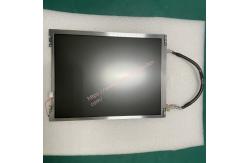
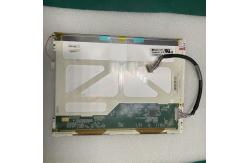
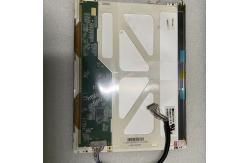
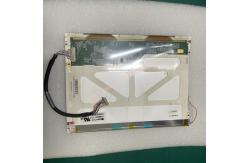
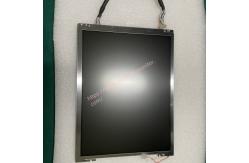
Philiph Goldway UT4000B Patient Monitor 10.4inch TFT Display TS104SAALC01-00
|
|
Philiph Goldway UT4000B Patient Monitor Display TS104SAALC01-00
▷ Philiph Goldway UT4000B Patient Monitor Display TS104SAALC01-00 Brief Introduction
Philiph Goldway UT4000B Patient Monitor Display TS104SAALC01-00 uses a high-resolution color TFT display screen with a display size of 10.4 inches. It supports multi-window display and can view multiple monitoring parameters and waveforms (such as channel waveforms) at the same time. It also has a large font mode and a night monitoring mode to adapt to different scenarios.
▷ Troubleshooting of Philiph Goldway UT4000B Patient Monitor Display TS104SAALC01-00
Black screen (no display): If the indicator light is orange/red, check the power switch and motherboard connection cables for loose or damaged connections. If the indicator light is normal but the screen has no backlight (shows an extremely dark image), the cause may be a backlight failure or an abnormality on the power board. You need to repair the backlight circuit or replace the backlight component.
Display abnormality If the waveform or parameter display is blurry or missing, check the signal transmission cable for poor contact or replace the old display component.
▷ Specification of Philiph Goldway UT4000B Patient Monitor Display TS104SAALC01-00
▷ Maintenance of Philiph Goldway UT4000B Patient Monitor Display TS104SAALC01-00
Regular cleaning:
Use a soft, dry cloth or dust-free cloth to gently wipe the screen surface and avoid using rough materials. You can use a little clean water or a professional screen cleaner, but never use cleaners that contain alcohol, ammonia, or strong acids.
Preventing scratches:
Avoid placing objects directly on the screen, especially sharp objects, to avoid scratches.
Suitable temperature and humidity:
Make sure the display operates within the recommended ambient temperature and humidity range, and avoid environments with high temperatures or high or low humidity.
Precautions for using the device:
---Adjust brightness and contrast properly:
Adjust the appropriate brightness and contrast to reduce eye fatigue and prolong the lifespan.
---Avoid long-term static images:
Avoid displaying static images for long periods of time to prevent screen burn-in. Change the screen content regularly or use a screen saver.
---Proper energy management:
Turn off the screen in time when not in use to reduce unnecessary power consumption and device aging.
Thank you so much for your attention .If you're interested in Philiph Goldway UT4000B Patient Monitor 10.4inch TFT Display TS104SAALC01-00 ,feel free to contact us .Thank you . |
||||||||||||||
| Product Tags: TS104SAALC01-00 Patient Monitor Philiph Goldway UT4000B Patient Monitor 10.4 inch TFT Patient Monitor |

|
Mindray Patient Monitor Battery LI13I001A Suit For Ipm5 Ipm8 Ipm10 Ipm12 IMEC5 IMEC8 IMEC10 IMEC12 New |

|
051-000943-00 Patient Monitor Spo2 Board Mindray T1 IPM12 IPM10 IPM8 Imec8 Imec10 Imec12 |

|
Patient Monitor Printer Recorder TR60-F Mindray IMEC7 IMEC8 IMEC10 IMEC12 IPM8 IPM9 IPM10 IPM12 MEC T5 T6 T8 Series |

|
PHiliph MX400 MX450 MX Series Patient Monitor AC/DC IV2-FLEX ASSY-PWR AC / DC Power Supply 453564281221 |

|
P/N 453564271711 PHiliph MX400 Mx450 MX Series Patient Monitor Mainboard |

|
MX450 Patient Monitor Battery Board Power Supply Hospital Equipment |