
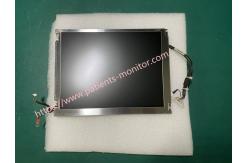
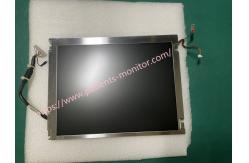
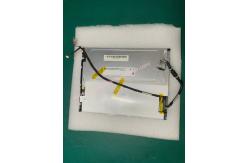
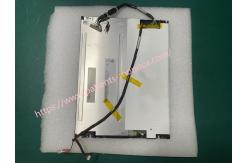
GE B20 Patient Monitor Liquid Crystal 10.4inch LCD Display G104SN02
|

|
GE B20 Patient Monitor Liquid Crystal 10.4inch LCD Display G104SN02
► Brief Introduction of GE B20 Patient Monitor Liquid Crystal 10.4inch LCD Display G104SN02
Display G104SN02 V2 is a Color Active Matrix Liquid Crystal Display composed of a TFT-LCD display, a driver circuit, and a backlight system. The screen format is intended to support SVGA (800(H) x 600(V)) screen and 16.2M (RGB 8-bits) or 262k colors (RGB 6-bits). All input signals are LVDS interface compatible. Inverter card of backlight is not included.The display can be compatible with GE B20 patient monitor .
► Specification of GE B20 Patient Monitor Liquid Crystal 10.4inch LCD Display G104SN02
► Operating Precautions of GE B20 Patient Monitor Display G104SN02
1) The front polarizer is easily scratched, so handle it carefully to avoid scratching it.
2) Always turn off the power before plugging or unplugging the input connector.
3) Wipe off any water drops immediately. Prolonged contact with water may cause discoloration or stains.
4) If the panel surface becomes dirty, wipe it with absorbent cotton or a soft cloth.
5) The panel is made of glass, so it may crack or break if dropped or hit against a hard surface.
6) This module uses CMOS LSI, so be careful of static electricity and ensure safety when handling it.
7) Do not open or modify the module components.
8) Do not press the reflective sheet on the back of the module in any direction.
9) If you need to remove the module from the case and return it to the slot in the case, do not press the center edge of the CCFL reflector. Instead, gently press the edge furthest from the edge of the CFL reflector. This may damage the TFT module.
10) Do not rotate or tilt the interface connector of the TFT module when plugging or unplugging the signal interface connector.
11) After installing the TFT module in a case (such as a laptop frame), do not twist or bend it, even for a moment. When designing the case, consider how to prevent the TFT module from being subjected to external bending or twisting forces. This may damage the TFT module.
12) LCD cold cathode fluorescent lamps contain a small amount of mercury. Dispose of them according to local ordinances or regulations.
13) LCD modules contain a small amount of non-flammable materials. The LCD module must be powered from a source that meets the limited power requirements (IEC60950 or UL1950) or apply for an exemption.
14) The LCD module is designed so that the CFL is powered by a current-limited circuit (IEC60950 or UL1950). Do not connect the CFL to a hazardous voltage circuit.
15) Extreme temperature conditions may cause differences in lamp brightness, response time, and turn-on voltage.
16) Continuous operation of TFT-LCD displays in low temperature environments may accelerate lamp wear and significantly reduce brightness.
17) The data in this specification applies when the LCD module is installed horizontally.
18) Continuous display of fixed patterns may cause burn-in. If the screen displays a fixed pattern, consider using a screen saver or periodically shuffling the content.
► Carton Package
Thank you so much for your attention .If you're interested in GE B20 Patient Monitor Liquid Crystal 10.4inch LCD Display G104SN02 ,feel free to contact us .Thank you .
|
||||||||||||||||||||
| Product Tags: G104SN02 Patient Monitor LCD Display GE B20 Patient Monitor LCD Display 10.4 inch Patient Monitor LCD Display |

|
Mindray Patient Monitor Battery LI13I001A Suit For Ipm5 Ipm8 Ipm10 Ipm12 IMEC5 IMEC8 IMEC10 IMEC12 New |

|
051-000943-00 Patient Monitor Spo2 Board Mindray T1 IPM12 IPM10 IPM8 Imec8 Imec10 Imec12 |

|
Patient Monitor Printer Recorder TR60-F Mindray IMEC7 IMEC8 IMEC10 IMEC12 IPM8 IPM9 IPM10 IPM12 MEC T5 T6 T8 Series |

|
PHiliph MX400 MX450 MX Series Patient Monitor AC/DC IV2-FLEX ASSY-PWR AC / DC Power Supply 453564281221 |

|
P/N 453564271711 PHiliph MX400 Mx450 MX Series Patient Monitor Mainboard |

|
MX450 Patient Monitor Battery Board Power Supply Hospital Equipment |