
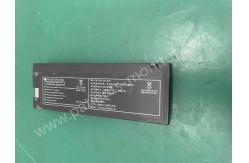
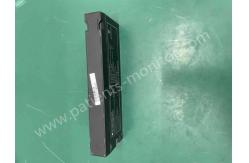
ICU Patient Monitor Parts PHiliph Goldway UT6000A FB1223 12V 2300mA hBattery
|


|
PHiliphh Goldway UT6000A Patient Monitor Battery FB1223 12V 2300mAh ICU Patient Monitor Parts PHiliphh Goldway UT6000A Patient Monitor Battery FB1223 12V 2300mAh
► Brief Introduction The battery for the PHiliphh Goldway UT6000A Patient Monitor is likely a rechargeable battery designed to power the monitor. The battery is an essential component, as it provides a portable and reliable power source for the monitor, allowing it to be used in various healthcare settings.
► Monitor power supply and battery test (1) Connect power cable between the wall outlet and monitor power connector and power the monitor up. (2) Inspect if the power indicator lights up and the indicator color. Green: The monitor is powered on and in normal working status. Yellow: The monitor is connected to AC power but not turned on. It is under internal battery charging status. (3) Press the power switch of the monitor to turn on the monitor and unplug the power cable. Inspect if the power indicator is green and if a battery mark is in the status box on the screen showing that the monitor is powered by battery. (4) Conduct ECG test according to the following instructions. (5) Reconnect the monitor to AC power and start the tests.
► How To Use Ensure Proper Battery Type: Make sure that you are using the correct type of battery specified for the UT6000A Patient Monitor. Refer to the user manual or check the label on the battery for details. Charge the Battery: If the battery is rechargeable, charge it fully before initial use. Connect the battery to the appropriate charging unit or dock, and follow the charging instructions provided in the manual. Insert the Battery: Locate the battery compartment on the patient monitor. Open the compartment according to the manufacturer's instructions. Insert the fully charged battery into the designated slot, ensuring the correct orientation. Secure the Battery: Close and secure the battery compartment as per the instructions. Ensure that the battery is securely in place to prevent any interruptions in power during use. Power On the Monitor: Turn on the patient monitor using the power button or controls specified in the user manual. The monitor should now operate using the power from the battery. Monitor Battery Status: Most patient monitors provide information about the battery status on the display screen. Keep an eye on the battery indicator to know when it needs recharging or replacement. Recharge or Replace: When the battery is low, recharge it using the appropriate charging method. If the battery is not rechargeable or has reached the end of its lifespan, replace it with a new, compatible battery.
► Specification
Thank you for your time and interest in PHiliphh Goldway UT6000A Patient Monitor Battery FB1223 12V 2300mAh . If you want to explore more details please let us know. Any inquiry will be highly appreciated and thanks for your support. Looking forward to receiving your early inquiry. |
||||||||||
| Product Tags: PHiliph Goldway UT6000A Patient Monitor Parts Goldway UT6000A Patient Monitor Parts 12V Patient Monitor Battery |

|
Mindray Patient Monitor Battery LI13I001A Suit For Ipm5 Ipm8 Ipm10 Ipm12 IMEC5 IMEC8 IMEC10 IMEC12 New |

|
051-000943-00 Patient Monitor Spo2 Board Mindray T1 IPM12 IPM10 IPM8 Imec8 Imec10 Imec12 |

|
Patient Monitor Printer Recorder TR60-F Mindray IMEC7 IMEC8 IMEC10 IMEC12 IPM8 IPM9 IPM10 IPM12 MEC T5 T6 T8 Series |

|
PHiliph MX400 MX450 MX Series Patient Monitor AC/DC IV2-FLEX ASSY-PWR AC / DC Power Supply 453564281221 |

|
P/N 453564271711 PHiliph MX400 Mx450 MX Series Patient Monitor Mainboard |

|
MX450 Patient Monitor Battery Board Power Supply Hospital Equipment |