
Edan XM Module Parameter Panel Board For IM20 Patient Monitor
|
|
Edan XM Module Parameter Panel Board For IM20 Patient Monitor
About Edan XM Module iM20 Patient Monitor Parameter Panel Board
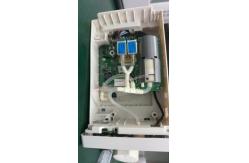
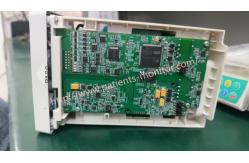
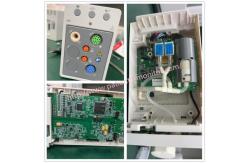
The Edan XM module parameter panel is a system component of the Edan XM multi-parameter module. This panel allows the integration and control of various parameters and measurements in medical monitoring systems.
Main features:
► Rugged Construction: Panels are rugged and built to withstand the demands of medical environments. ► Compatibility: It is designed to integrate seamlessly with the Edan XM module system, providing improved functionality and flexibility. ► Parameter Control: This board can monitor and adjust various parameters such as ECG, SpO2, NIBP, temperature, etc. ► Intuitive Interface: Features an intuitive interface, clear display and easy-to-use controls, ensuring efficient and convenient operation. ► Scalability: The panel is expandable and additional modules and parameters can be added depending on the requirements of the medical monitoring system. ► Real-time monitoring: Provides real-time updates and measurements of each parameter, allowing healthcare professionals to monitor patients effectively. ► Alarm management: the card is equipped with an alarm management system capable of alerting healthcare workers to abnormal parameter readings to ensure rapid intervention. ► Data storage and transfer: It has built-in memory to store patient information and has the ability to transfer data to other devices or systems for later analysis.
XM module brief introduction The XM module is integrated with functions of multiple measurement modules of ECG, RESP,SpO2,TEMP, IBP and NIBP. Plug the XM module in the XM module slot on the left side of the monitor, and it is connected with the monitor as shown below:
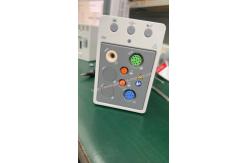
Overview of XM Module
1 Setup key: press to enter the XM module setup menu.
2 Zero key: press to enter the zero IBP menu
3 NIBP start/ stop key: press to start or stop NIBP measurement
4 Indicator On: when the module works normally Flash: when the module is being initialized or malfunctioning. Off: when the module is unconnected.
5 Module name 6 Connectors for transducer/sensor 7 Snap-fix
8 Connector to the monitor
Installing the XM Module Mate the snap-fixes on the right side of the module with the slots on the rear of the monitor, and push the module forwards until the lever clicks in place, then fasten the module with the snap-fix on the left side of the monitor.
Thank you so much for your attention.If you're interested in Edan XM Module Parameter Panel Board For IM20 Patient Monitor ,feel free to contact us . |
||||||||||||
| Product Tags: Edan XM Module Parameter Panel Board IM20 Patient Monitor Parameter Panel Board |

|
Mindray Patient Monitor Battery LI13I001A Suit For Ipm5 Ipm8 Ipm10 Ipm12 IMEC5 IMEC8 IMEC10 IMEC12 New |

|
051-000943-00 Patient Monitor Spo2 Board Mindray T1 IPM12 IPM10 IPM8 Imec8 Imec10 Imec12 |

|
Patient Monitor Printer Recorder TR60-F Mindray IMEC7 IMEC8 IMEC10 IMEC12 IPM8 IPM9 IPM10 IPM12 MEC T5 T6 T8 Series |

|
PHiliph MX400 MX450 MX Series Patient Monitor AC/DC IV2-FLEX ASSY-PWR AC / DC Power Supply 453564281221 |

|
P/N 453564271711 PHiliph MX400 Mx450 MX Series Patient Monitor Mainboard |

|
MX450 Patient Monitor Battery Board Power Supply Hospital Equipment |