
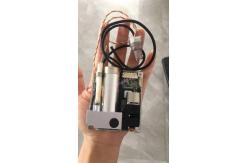
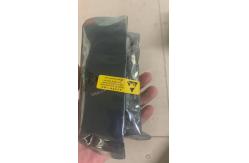
463664015441 PHiliph VM8 Patient Monitor Spare Parts Co2 Module
|


|
463664015441 PHiliphh VM8 Patient Monitor Spare Part Co2 Module
Calibrating the CO2 Module
Important - Since the display uses the current date and time as the calibration date/time, ensure that the system date and time are set correctly. NOTE - The monitor always shows CO2 module operating time (operating time) in CO2 test window. 1. Connect the other end of the FilterLine hose (if not already connected) to the monitor's CO2 input; leave the other end unconnected. 2. In the CO2 test window, highlight the scroll wheel Start calibration and press the scroll wheel. A confirmation window will appear prompting you to connect the gas to the CO2 module. 3. Connect the other end of the FilterLine hose to the inlet of the 5% gas concentration gas regulator. 4. Open the gas control valve to allow 5% CO2 gas to flow through the monitor. 5. In the confirmation window, turn the dial to the Yes position and press the dial to start the calibration. The display will start calibrating the CO2 module and display the calibration value when it is complete. NOTE—The calibration process can take up to a minute. 6. Turn off the airflow and turn the wheel to return to the CO2 test window. End the test by pressing the selector. 7. If the calibration is successful, the date and time of the last calibration will be reset in the CO2 test window. Check this by opening the CO2 test window again. 8. If the module cannot be calibrated, an error message will appear. CO2 module replacement
Specification of PHiliphh VM8 Co2 module 463664015441 .
Removing the SureSigns VM8 CO2 Module To remove the CO2 module: 1. Disconnect the power cord behind the monitor. 2. Remove the battery from the display. 3. Remove the four Torx T10 screws and washers (3 on the bottom and one on the top) from the CO2 module cover. 4. Remove the CO2 module from the rear of the monitor housing. And disconnect the CO2 wire that connects to the CO2 board connector. FAQ:
Our MOQ is one piece .Welcome to take samples to test our quality .
Usually it will take around 2-3 working days to prepare for the order after payment and you will receive it around 5-7 working days .
As our stock is changing ,right now we don’t have products list .If you would like to know what we have ,feel free to check our website ,and send us pictures to check price
FAQ:
1.Can i have a test video before placing order? Sure .Video can be sent as well before the shipment .
2.Can new version accessories work on old device models? Some new versions are backward compatible; we will confirm for you before order.
3. Will you remind me when my ordered model is updated? Yes, we will inform regular customers of model upgrade and alternative options.
.4.Can I keep buying old version even if new version released? Yes, we can continue supplying old version parts as long as stock is available.
5.Do you provide bulk order inspection before shipment? Yes, we can take bulk inspection photos and videos for your confirmation before delivery.
If you're interested in 463664015441 PHiliphh VM8 Patient Monitor Spare Part Co2 Module ,feel free to contact us .Thank you .
|
||||||||||||
| Product Tags: PHiliph VM8 Patient Monitor Spare Parts 463664015441 Patient Monitor Spare Parts Patient Monitor Co2 Module |

|
Mindray Patient Monitor Battery LI13I001A Suit For Ipm5 Ipm8 Ipm10 Ipm12 IMEC5 IMEC8 IMEC10 IMEC12 New |

|
051-000943-00 Patient Monitor Spo2 Board Mindray T1 IPM12 IPM10 IPM8 Imec8 Imec10 Imec12 |

|
Patient Monitor Printer Recorder TR60-F Mindray IMEC7 IMEC8 IMEC10 IMEC12 IPM8 IPM9 IPM10 IPM12 MEC T5 T6 T8 Series |

|
PHiliph MX400 MX450 MX Series Patient Monitor AC/DC IV2-FLEX ASSY-PWR AC / DC Power Supply 453564281221 |

|
P/N 453564271711 PHiliph MX400 Mx450 MX Series Patient Monitor Mainboard |

|
MX450 Patient Monitor Battery Board Power Supply Hospital Equipment |