
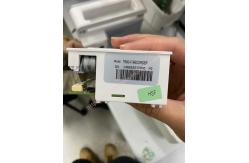
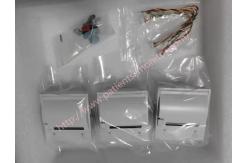
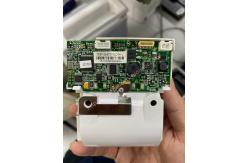
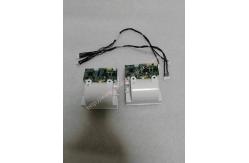
Patient Monitor Printer Recorder TR60-F Mindray IMEC7 IMEC8 IMEC10 IMEC12 IPM8 IPM9 IPM10 IPM12 MEC T5 T6 T8 Series
|

|
TR60-F Mindray IMEC7 IMEC8 IMEC10 IMEC12 IPM8 IPM9 IPM10 IPM12 MEC T5 T6 T8 Series Patient Monitor Printer Recorder
About Recorder The recorder receives data from the motherboard and sends it to the thermal print head for printing. There is a hard button (start/stop recording) and a green LED on the front of the recorder. It is connected to the motherboard.
The following diagram shows its operating principle:
Recorder
Recorder Check
1. Print an ECG trace. The recorder should print correctly and the printout should be clean. 2. If the configuration recorder runs out of paper and other problems occur, the display should provide the required information. When the problem is resolved, the recorder should work normally.
3. Enable automatic alarm logging for all parameters and set a limit outside the alarm limit set for each parameter. In the event of a parameter alarm, the corresponding alarm recording must be activated.
Recorder Failures
Removing the Recorder (Optional)
1.Push the two clips aside and take out the recorder driver board, as shown below: 2.Unscrew the two PT2X6 screws and disconnect the cable and flexible cable between the recorder driver board and the recorder keyboard, as shown below. Then remove the thermal print head and recorder driver board. 3.Remove the keyboard by removing the two PT2X6 screws shown below.
If you're interested in TR60-F Mindray IMEC7 IMEC8 IMEC10 IMEC12 IPM8 IPM9 IPM10 IPM12 MEC T5 T6 T8 Series Patient Monitor Printer Recorder ,feel free to contact us .Thank you .
|
||||||||||||||||||||||||||||||||||||||||||
| Product Tags: Patient Monitor Printer Recorder Mindray IMEC7 Patient Monitor Printer Recorder IPM9 Patient Monitor Printer Recorder |

|
Mindray Patient Monitor Battery LI13I001A Suit For Ipm5 Ipm8 Ipm10 Ipm12 IMEC5 IMEC8 IMEC10 IMEC12 New |

|
051-000943-00 Patient Monitor Spo2 Board Mindray T1 IPM12 IPM10 IPM8 Imec8 Imec10 Imec12 |

|
Patient Monitor Printer Recorder TR60-F Mindray IMEC7 IMEC8 IMEC10 IMEC12 IPM8 IPM9 IPM10 IPM12 MEC T5 T6 T8 Series |

|
PHiliph MX400 MX450 MX Series Patient Monitor AC/DC IV2-FLEX ASSY-PWR AC / DC Power Supply 453564281221 |

|
P/N 453564271711 PHiliph MX400 Mx450 MX Series Patient Monitor Mainboard |

|
MX450 Patient Monitor Battery Board Power Supply Hospital Equipment |