
Mindray Imec12 Patient Monitor Recorder Printer for Hospital
|


|
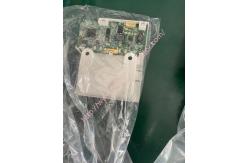
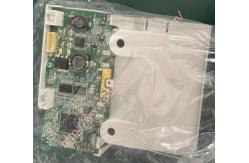
Mindray Imec12 patient monitor recoder printer with good condition for Hospital
Mindray Imec12 patient monitor recoder printer for Hospital
The recorder receives the data from the main board, and then sends it to the thermal print head for printing. There is a hard key (start/stop recording) and a green LED on the front of the recorder. It is connected to the motherboard
Recorder Verification Tool Required: None. 1. Print the ECG waveform. The recorder should print correctly and the printout should be clear. 2. Configure the recorder for out of paper and other issues and the monitor should be providing the appropriate information. The burner should function normally after the problem is resolved. 3.Open the automatic alarm record of each parameter, and then set the limit of each parameter outside the set alarm limit. When a parameter alarm occurs, the corresponding alarm recording should be triggered
l RecorderTo enable/disable the recorder, select [Recorder] and toggle between [On] and [Off]. CAUTION The recorder is disabled if [Recorder] is switched off in the menu
l Removing the Recorder
1.Push the two clips to one side and take out the drive board of the burner, as shown in the figure below
2.Unscrew the two PT2X6 screws, and disconnect the cable and flexible cord between the recorder drive board and the recorder keyboard, as shown in the figure below. Then remove the thermal print head and recorder drive board.
3.Unscrew the two PT2X6 screws shown in the figure below and take out the keyboard
l Recorder Failures
|
|||||||||||||||||||||||||||||||||||||
| Product Tags: Imec12 Patient Monitor Recorder Printer Mindray Patient Monitor Recorder Printer |

|
Mindray Patient Monitor Battery LI13I001A Suit For Ipm5 Ipm8 Ipm10 Ipm12 IMEC5 IMEC8 IMEC10 IMEC12 New |

|
051-000943-00 Patient Monitor Spo2 Board Mindray T1 IPM12 IPM10 IPM8 Imec8 Imec10 Imec12 |

|
Patient Monitor Printer Recorder TR60-F Mindray IMEC7 IMEC8 IMEC10 IMEC12 IPM8 IPM9 IPM10 IPM12 MEC T5 T6 T8 Series |

|
PHiliph MX400 MX450 MX Series Patient Monitor AC/DC IV2-FLEX ASSY-PWR AC / DC Power Supply 453564281221 |

|
P/N 453564271711 PHiliph MX400 Mx450 MX Series Patient Monitor Mainboard |

|
MX450 Patient Monitor Battery Board Power Supply Hospital Equipment |