
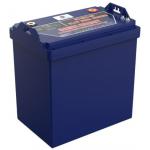
105Ah Golf Cart Battery 48V 43.5kg Li Iron Phosphate Battery
|

|
UT-S48105 51.2V 105Ah Lithium Golf Cart Battery with 4000+ Cycle
Life and IP65 Rating Quick Detail
Product Description Camel Energy UT-S48105 is a high-performance lithium battery pack designed for high-power, reliable power supply in industrial, commercial and mobile equipment scenarios. With a nominal 51.2V voltage and 105Ah capacity, it features outstanding high-current discharge performance, intelligent power management and multi-dimensional safety protection. Integrated with SOC LED status indicators, CAN communication port and Bluetooth connectivity via the Battery Track APP, the battery enables real-time monitoring of core parameters like voltage, temperature and remaining capacity, as well as convenient firmware upgrades. Its IP65 dust and water resistance rating ensures stable operation in harsh environments, while the automatic shallow/deep sleep mode optimizes energy consumption and extends service life. Certified to UN38.3 and backed by a 36-month warranty, it complies with international safety and transportation standards, delivering assured performance for various professional applications. Product Specification
Product Application UT-S48105 battery is a versatile high-power power supply solution, widely applicable to various industrial, commercial and mobile equipment scenarios:
Product Features
Product Advantage
FAQ Q1: How to check the remaining capacity of the UT-S48105 battery? A: The battery is equipped with 4 blue SOC LED indicators: 4 LEDs for 76%-100% capacity, 3 LEDs for 51%-75%, 2 LEDs for 26%-50%, 1 LED for 0%-25%. Real-time capacity and other parameters can also be viewed via the Battery Track Bluetooth APP. Q2: How to wake up the battery from sleep mode? A: Shallow sleep is activated after 30 mins of inactivity (no CAN/current signal, no key press). Wake it up via one key press, CAN message, or current load (≥1A). Deep sleep is activated after 4 days of shallow sleep, and can only be woken up by long-pressing the status button until all indicators light up from left to right. Q3: How to connect the battery to the Battery Track APP? A: 1. Download "Battery Track" from Google Play (Android) or App Store (iOS); 2. Turn on your phone's Bluetooth and open the APP; 3. Click "Scan Bluetooth", select the battery's Bluetooth code, enter the default password 123456 to complete the connection. Q4: What are the key storage requirements for this battery? A: Store at 15°C~35°C with 5%~95%RH (no condensation); avoid direct sunlight and keep at least 2 meters away from heat sources; do not invert or subject to mechanical impact/heavy pressure. Replenish charge every 3 months and fully recharge within 6 months to maintain battery performance. Q5: Does the UT-S48105 support simultaneous charging and
discharging? A: No. This product does not support simultaneous charging and discharging. Such operation is strictly prohibited to avoid battery damage and safety risks. Q6: How to restore the battery after protection is triggered? A: When the battery triggers protection due to over-voltage, over-temperature or other faults, press the status/protection recovery button to restore it. If the fault persists, stop using the battery immediately and contact after-sales service. Q7: What monitor is compatible with the UT-S48105 battery? A: The battery is exclusively matched with GC MONITOR (sold separately), which can be connected for professional and comprehensive battery status monitoring and management. Q8: What is the scope of the 36-month warranty? A: The warranty covers problems caused by proper operation and installation within 36 months from the purchase date. It does not cover damage from improper operation/installation, mechanical impact, or products without a warranty card. Out-of-warranty maintenance services are available at the customer's expense. Q9: What cables and terminals should be used for connection? A: Please use original or certified cables and the equipped M8-1.25 threaded studs/OT terminals. Mismatched accessories may cause poor connection, overheating and other safety risks. Q10: How to upgrade the battery system firmware via the APP? A: After connecting the battery to the Battery Track APP, if the prompt "Click Update to: xxxxxx" appears, click "UPDATE NOW". Do not exit the APP page during the upgrade process and wait until the upgrade progress is 100% completed. |
||||||||||||||||||||||||||||||||||||||||||||||
| Product Tags: 105Ah golf cart battery 48V lithium iron phosphate battery 43.5kg golf cart battery |
|
48V Golf Cart Battery RS485 Lithium 30ah Battery Bluetooth Phosphate Battery |

|
105Ah Golf Cart Battery 48V 43.5kg Li Iron Phosphate Battery |

|
105Ah IP65 Golf Cart Battery OEM ODM CAN38.4V Li Iron Phosphate |

|
4.8 KWh 25.6V 60Ah Golf Cart Battery 2000+Cycles LFP Lithium Battery |

|
76.8V 105Ah Golf Cart Batteries Lithium Golf Cart Battery Deep Cycle 4000+ Cycle |

|
60Ah Electric Golf Carts 4000+ Cycle IP65 Lithium Ion Golf Cart |