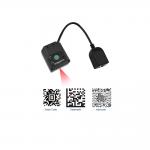
Unlock superior efficiency with the RAKINDA LV4500 Pro, a
high-performance fixed mount barcode scanner engineered for rapid
and reliable data capture. Leveraging a powerful sixth-generation
imager, it effortlessly decodes both 1D and 2D barcodes, including
challenging on-screen barcodes and printed labels. With a wide
voltage input of 5-24VDC and support for USB and RS-232 interfaces,
it offers unparalleled integration flexibility for various
industrial automation and retail POS systems. Achieve higher
throughput with its responsive IR/light sensor triggers, making it
an ideal omnidirectional barcode scanner for demanding
environments. Parameters of RS232 Barcode Scanner | Performance | | Image Sensor | 640*480 CMOS | | Illumination | 3000K white LED | | Symbologies | 2D | PDF417, Data Matrix, QR Code, Micro QR, Aztec, etc | | | 1D | EAN-13, EAN-8, UPC-A, UPC-E, ISSN, ISBN, Codabar, Interleaved 2 of
5, Code 128 (FNC1), Code 93, ITF-6, ITF-14, Industrial 2 of 5,
Standard 2 of 5, Matrix 2 of 5, Code 11, GS1 Databar (RSS-Expand,
RSS-Limited, RSS-14), MSI-Plessey, Code 39 (Code 39 FULL ASCII),
Plessey, etc | | Resolution | 1D | ≥4mil | | Typical Depth of Field | EAN-13 (13mil) | 0-170mm | | Code 39 (20mil) | 15-200mm | | Code 128 (10mil) | 0-160mm | | QR Code (20mil) | 0-95mm | | Scan Window | 45mm×45mm | | Scan Modes | Sense mode, Continuous mode, Command mode | | Min. Symbol Contrast | 1D | 25% | | Scan Angle 1 | Roll: 360°, Pitch: ±50°, Skew: ±50° | | Field of View | Vertical 70° , Horizontal 55° | | Physical | | Interface | S-232, USB 5VDC±5% | | Operating Voltage Current@5VDC | 120mA | | Operating (RMS) Idle | 63mA | | Dimensions | 78.7(W)×47.7(D)×67.7(H)mm (max.) | | Weight | (without cable) 132g | | Notification | Beeper, multi-colored LED indicator | | Environmental | | Operating Temperature | -20℃ to 60℃ (-4°F to 140°F) | | Storage Temperature | -40℃ to 85℃ (-40°F to 185°F) | | Humidity | 5%~95% (non-condensing) | | ESD | ±15kV (air discharge) ±8kV (direct discharge) | | Sealing | IP65 (not including interface) | | Accessories | | Cable | Optional | USB cable used to connect the scanner to a host device. | | Optional | RS-232 cable used to connect the scanner to a host device. | | Power Adapter | Optional | DC5V power adapter to provide power for the scanner with RS-232
cable. |
|