
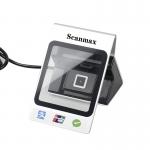
Auto Code Reader Desktop Barcode Scanner RED OEM Scan Engine 10 Mil Resolution
|

Auto Code Reader Desktop Barcode Scanner RED OEM Scan Engine 10 Mil Resolution
Maintenance 1. The scan window should be kept clean using soft cloth or lens cleaning tissue. Do not use detergent to clean it. 2. Do not scratch the scan window 3. Sudden temperature drops may cause condensation on the shell which could degrade the performance of the device. If condensation occurs, dry the device before use.
Wiring If your scanner is equipped with an RS-232 interface: 1. Plug the supplied cable’s RJ45 connector into the data port on the scanner; 2. Plug the cable’s RS-232 connector into the RS-232 port on PC; 3. Plug the power adapter into the cable’s power jack 4. Connect the power adapter to a power outlet. After 0.5s, the scanner will be powered on with a beep.
|
||||||||||||||||||||||||||||||||||||||||||||||||||||||
| Product Tags: barcode reader scanner handheld uhf rfid reader |
|
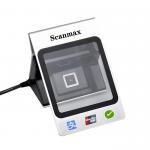
1D 2D Electronic Barcode Scanner Mobile Payment Box USB Interface CMOS Scan Element |
|
Access Control Wiegand Converter NFC Access Control Software System RFID Network |
|
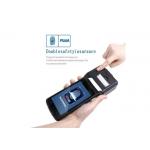
RK550X Android Print Handheld Terminal with Scanning and Printing Features |

|
Fixed Mount Barcode Scanner USB or RS232 Interface for Unmanned Supermarket Access Control |
|
Smartphone USB 2D Barcode Scanner Fast Reading IOTC 0370 CHIP Processor |
|
USB Interface Desktop Barcode Scanner QR Code Payment Box S900 For Super Market |