
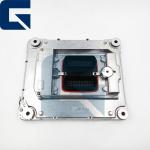
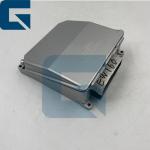
12725875 Computer Module ECU for G700B Motor Grader
|


Detailed Product Description
|
12725875 Computer Module ECU for G700B Motor Grader High-quality replacement computer module ECU specifically designed
for G700B Motor Grader applications. Product Specifications
Product Images Related Products Frequently Asked Questions Q1: How long does it take to install the ECM on machine? Physical Installation: 15-30 minutes. The unit is typically secured by 4 bolts on the
cool side of the engine. Programming & Testing: 30-60 minutes. Pro Tip: If the ECM is pre-programmed by us based on your machine's serial number, it is essentially "Plug & Play." If not, you will need a Cat ET (Electronic Technician) tool to flash the software, which takes additional time. We recommend professional installation to ensure correct parameter synchronization. Q2: How to determine if the ECM is faulty and needs replacement? • The ET diagnostic tool cannot communicate with the ECM, or it
displays a "Module Not Responding" error. This is a critical sign
of internal hardware failure. • Active fault codes related to internal memory (EEPROM) or voltage reference issues that persist after checking the wiring harness often indicate ECM failure. • Sudden engine stalling, severe power loss (Limp Mode), or persistent misfiring (missing injector driver signals) after sensors and harnesses have been ruled out. • Visible signs of overheating (burning smell), water ingress, corrosion, or broken pins on the connector headers. Q3: What's your payment method? Our payment methods include T/T, L/C, PayPal, etc. Q4: Do you have stock? Rich stock available. Q5: How can I know my order is already shipping? When the goods ship, we will share the tracking number. For sea or
air freight, we can provide the bill of lading. Step-by-Step Testing Guide Pro-Tip: HEUI (Hydraulic Electronic Unit Injection) systems are extremely
sensitive to contamination. A single speck of dust can cause
premature failure. 1. Prepare: Ensure the excavator is turned off and safely secured.
Disconnect the battery to avoid electrical accidents. 2. Inspect: Check the ECU for physical damage or loose connections. 3. Connect Diagnostic Tool: Use a diagnostic tool recommended by the
excavator's manufacturer. Connect it to the ECU according to the
tool's instructions. 4. Read Codes: Use the diagnostic tool to read any error codes (DTCs)
stored in the ECU. These codes indicate potential problems with the
ECU or connected systems. 5. Check Live Data: View live data parameters such as sensor readings
and system voltages. Ensure they are within normal ranges. 6. Functional Tests: If possible, perform tests to activate
components or simulate sensor inputs. Verify that the ECU responds
correctly without delays or errors. 7. Reset (if needed): Reset the ECU if recommended by the
manufacturer, especially after repairs or replacements. 8. Document: Keep a record of all tests, codes, and results for
future reference. Quick Checklist for Buyers Before replacing the ECM, always check the fuses, main relays, and
ground connections. In many cases, a faulty ground wire or low
battery voltage mimics an ECM failure. Company Profile Exhibition Packaging & Shipping |
||||||||||||||||||
| Product Tags: G700B Motor Grader ECU Computer Module for G700B ECU Controller with warranty |
Related Products
|
126-6648 1266648 Controller ECU Control Unit for 814F 815F |
|
4993120 Controller ECU ECM for ISX15 Engine |
|
VOE14594699 14594699 Controller Control Unit ECU for EW145B Excavator |
|
VOE21300122 21300122 for FM400 Track ECM ECU Controller |
|
VOE21300122 Controller Electronic Control Module ECM ECU 21300122 for D13 Engine |
|
VOE14390099 Controller Electronic Control Unit ECU 14390099 for EW160B Excavator |
Email to this supplier