China AR Smart Glasses manufacturer
Shenzhen Anpo Intelligence Technology Co., Ltd.
Smart Glasses Overall Solution
8
Home > Products > FPV Drone Goggles >

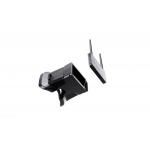
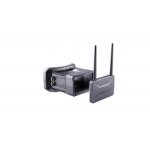
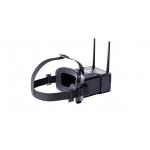
Adjustable IPD FPV Drone Video Goggles TFT LCD Two Display 2 Inch 5.8G Frequency

Browse Categories

Shenzhen Anpo Intelligence Technology Co., Ltd.

City: dongguan

Province/State:guangdong

Country/Region:china

Tel:86

Contact Person:
Miss.Layla
View Contact Details

Adjustable IPD FPV Drone Video Goggles TFT LCD Two Display 2 Inch 5.8G Frequency

Brand Name ENMESI
Model Number F6
Certification CE, ROHS, FCC,CCC
Place of Origin Shenzhen,China
Minimum Order Quantity 1pcs
Price Negotiable
Payment Terms T/T, Western Union etc
Supply Ability 10000pcs/month
Delivery Time 7 work days
Packaging Details gift box packaging.Micro USB cable(1meter),charger(5V, 1A), user manual, warranty card, cleaning cloth, 2*rod antennas, gain 8dBi, clothing bag, headband,
Screen Size 2"
Brightness 300cd/㎡
Screen Material TFT LCD
Screen quatity binocular
Detailed Product Description


2020 New TFT LCD Two Display 2 Inch FPV Adjustable IPD FPV Drone Video Goggles With 5.8G


Product Details


Screen Size2 inch
MaterialTFT LCD
Resolution480*360
FOVField of view: 0/120 degrees (horizontal/vertical)
Power consumption


1.5W-2.2W

Frequency5.8GHz,48CH
IPD60-68mm(Adjustable)
Battery3.7v 1000mAh Li-ion


ItemDefinitionOperation method & application
Power keyLong press 3 seconds, on/off


Reset key

If it could not be powered off by the power key after system stopped working by mistake, you can press reset key, to force the system to be powered off.
AV INSystem would be switched automatically into AV mode after external AV equipment; and would be switched into 5.8G mode after pull out AV equipment.
USBExternal DC5V power charge.


B Key

To press A,B,C,D,E,F band to switch when using 5.8G mode.

To press “+” for increasing when using setting menu.


CH Key

Press “S” Key to switch from channel 1 to channel 8 when using 5.8G mode.

To press “S” key for decreasing when using setting menu.


S Key

To press for setting menu, and continue press to switch to the next menu.

Automatically search by long pressing “S” key.

Interpupilary distance(IPD)60 to 68mm(Adjustable).
TF card slotMaximum support 32G TF card


“+” Key

Press for video record, and press again for stop.

To press “+”for amplify when using video setting menu.


Mkey

Long press 3 seconds to start video setting and press again to quit.

To press for ok when using setting menu.


"-"Key

To press 3 seconds to start video replay, and can choose the video content by pressing “+” and “-“key.

To press “-“ for decreasing when using setting menu.


FAQ


Q1: Can you provide samples?

A1: Yes, we can provide samples.


Q2.Can you offer OEM/ODM service?
A2:YES. The OEM/ODM is welcomed, we can printing any logo on the sample as your require.


Q3. How can we know the product quality?
A3: We suggest you to order a sample. Also, you can send us email for detail photos for checking if you cannot get enough information in the product page.


Q4. Is it the final price in the price list?
A4:No, there still have some negotiated room. It is depends on the order you placed, the more you placed, the lower price you will get.


Q5.Can you offer OEM/ODM service?
A5:YES. The OEM/ODM is welcomed, we can printing any logo on the sample as your require.


Q6. How can I send inquiry?
A6:When you find something you are interested, you can leave your information to us.


Q7.What is your payment?
A7:We usually accept payment based on T / T, Western Union .


Tag: FPV drone goggles, FPV video smart glasses, crossover machines FPV.

Product Tags: fpv drone and goggles   fpv drone and goggles   2 Inch FPV Drone Goggles  
Related Products
Email to this supplier
 
From:
Enter your Email please.
To: Shenzhen Anpo Intelligence Technology Co., Ltd.
Subject:
Message:
Characters Remaining: (80/3000)