
Advanced PORSCHE Multimedia Interface , Android Auto Interface For Cayman 2016
|


LEADSIGN Wireless Apple CarPlay Retrofit- Android Auto Interface For Porsche PCM3.1 with the knob&touch screen control systemCarPlay is a smarter, safer way to use your iPhone while you drive. And now with an allnew CarPlay Dashboard that helps you with tunes, turns, and Siri suggestions, a Calendar app that lets you view and manage your day, and maps that reveal more of what’s around you, getting there just got a whole lot easier. And a lot more fun.
With its user-friendly and instinctive interface, our CarPlay interface makes it easy to use many of your iPhone's apps, including Apple Maps, Google Maps, Waze, Tidal, Spotify, Podcasts, Messages, WhatsApp and more all on your car's native dashboard screen. We’ve also listened to your needs and given you the option to connect your iPhone wirelessly with your car. For maximum convenience, control and switch between apps with your vehicle's built-in controls, or with your voice thanks to Siri at just a press of the Voice Command button.
LEADSIGN Wireless CarPlay Interface Features:1. Wireless CarPlay capability for iPhone or other IOS Apple devices 2. USB multimedia and charging port 3. Full-Screen Mode 4. Easy control with Knob and steering wheel buttons 5. Supports Android Auto connect wirelessly for some Andriod phone 6. Integration with Front and Rear View Cameras 7. High-quality audio with an equalizer 8. Other features
1. Wireless Capability---Connect wirelesslyLEADSIGN CarPlay interface for the Porsche original system lets you connect your iPhone wirelessly. After pairing your iPhone and CarPlay Interface once, the interface will recognize your iPhone each time you get in your car and connect wirelessly, without you even having to remove your phone from your pocket or bag. When using CarPlay you’ll be able to answer calls just like with a Bluetooth hands-free connection. All controls can be done on your car's screen with a touch of OEM buttons leaving your phone in your pocket. 2. USB multimedia and charging portOur CarPlay solution comes with a USB port. It lets you charge your iPhone on longer drives, or you can use it for playing videos and music on your Audi Screen from a USB thumb drive. 3.Control with a word. |
| Brand | Model | Year Range |
| Porsche | Boxster / Cayman / 911 | 2012~2016 |
| Porsche | Cayenne | 2010~2016 |
| Porsche | Macan | 2014-2016 |
| Porsche | Panamera/718/991 | 2010-2016 |
► Andriod Auto is for Android phone running Android 5.0 (Lollipop) and up with a data plan. For best performance, we recommend Android 6.0 (Marshmallow) and up. You can check your phone’s software version by looking at the About Device section under Settings. Wireless Andriod Auto is compatible with the following android phone only:Pixel, Nexus, or Samsung phones with Android versions shown below:
| Phone make and Model | Android Version |
| Pixel 3 or Pixel 3 XL | Android 8.0 or higher |
| Pixel 4 or Pixel 4 XL | Android 10.0 or higher |
| Samsung Galaxy S8 or S8+ | Android 9.0 or higher |
| Samsung Galaxy S9 or S9+ | Android 9.0 or higher |
| Samsung Galaxy S10 or S10+ | Android 9.0 or higher |
| Samsung Note 8, Note 9 and Note 10 | Android 9.0 or higher |
| Other Samsung devices (incl. Galaxy S20 and Galaxy Z Flip) | Android 10.0 or higher |
| Pixel, Pixel XL, Pixel 2, Pixel 2 XL, Nexus 5X & Nexus 6P | Android 8.0 or higher, support wireless connections in most countries. |
Remark: Also need your Android Auto app version 4.7 and up.
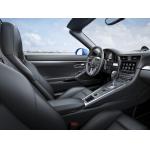
|
User Friendly PORSCHE Multimedia Interface , Auto Multimedia Video Interface |
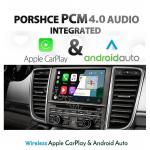
|
Wireless PORSCHE Multimedia Interface For Porsche PCM4.0 Phone Touch Control |
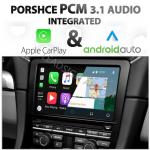
|
Wireless PORSCHE Multimedia Interface for PCM3.1 with Connect wireless CarPlay Android Auto Interface charging port |
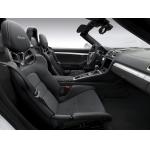
|
PORSCHE Wireless Video Interface For Boxster 2016 PCM3.1 USB Multimedia Port |
|
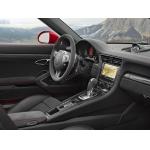
Build In PORSCHE Multimedia Interface , Android Auto Display For Targa 4 GTS |
|
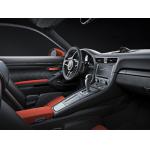
Multimedia Carplay Infotainment System With Google Maps Android Auto Support |