
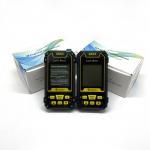
Agriculture GPS Site Survey Equipment
|


|
GPS Agriculture Machinery Operation Field Seeding Mountaion Lake GPS Site Survey Equipment
Manual Distance Measuring Function Of GPS Site Survey Equipment:
① At the land starting point,press the▲▼button switch function to “Multipoint Distance ”. ② Press the【Start】button to start measuring. ③ Press the【Enter】button to collect the information of the point. ④ Press the 【Stop】button to stop the measurement and view the measurement data;If the measurement is completed,press "Stop" to save the data.
Flashlight: Long press the【▲】button to open or close the flashlight.
Data Export Of GPS Site Survey Equipment:
When the instrument is in the main interface, connect the USB cable to the computer end, open h-data software on the computer, click "get Data" button, and wait for the mu meter to upload all the measured Data.
Note: data can be exported only when it is in the main interface. When data is exported, the machine is in the static state of the interface, and all the buttons are in the interface unable to use, everything will return to normal after data export.
|
||||||||||||||||||||||||||||||||||||||||||||||||
| Product Tags: S4 GPS Site Survey Equipment Palm GPS Site Survey Equipment 2.5m gps land survey equipment |

|
Agriculture GPS Site Survey Equipment |

|
S2 GPS Land Measuring Instrument |

|
GNSS Handheld GPS Land Meter Device Location Finder GPS Site Survey Equipment |

|
Position Navigation GPS Site Survey Equipment Altitude Survey |
|
Slope GNSS GPS Survey Equipment , S2 GPS Area Measurement Device |

|
Agriculture GPS Site Survey Equipment Coordinate Measurement |