
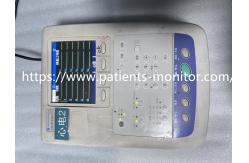
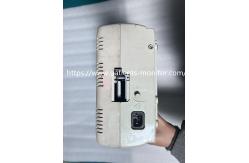
Nihon Kohden ECG-1350P 12-Lead Electrocardiograph With Thermal Array Printer Used Unit
|
Detailed Product Description
|
Nihon Kohden ECG-1350P 12-Lead Electrocardiograph With Thermal Array Printer Used Unit
The Nihon Kohden ECG-1350P is a professional 12-lead
electrocardiograph designed for accurate cardiac diagnosis in
hospitals, clinics, and emergency departments. This refurbished unit features a clear LCD screen displaying
real-time ECG waveforms, a thermal array printer for instant
hard-copy results, and intuitive control buttons for easy
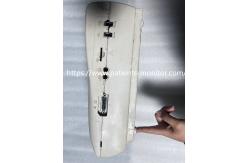
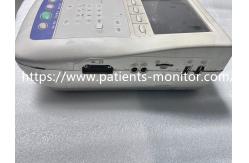
operation. Despite visible signs of prior use (minor scratches and wear on the
casing), the device maintains full functionality: the screen
displays crisp waveforms, all buttons respond reliably, and the
printer produces clear, smudge-free printouts. Ideal for healthcare
facilities seeking a cost-effective, high-performance ECG solution,
it supports both AC power and rechargeable battery operation for
flexible use in various settings.
1. Pre-Use Check: Ensure the battery is charged (green LED indicator) or connect to
AC power. Verify electrode cables are securely attached to the
patient and device. 2. Operation: Press the "Start/Stop" button to begin recording; use the "Lead
Select" keys to switch between 12 leads. Adjust gain (sensitivity)
and paper speed via the control panel as needed. 3. Printing: Press the "Print" button to output the current waveform. Replace
the thermal paper roll when the "Paper End" indicator lights up. 4. Maintenance: Clean the casing with a soft, damp cloth (avoid harsh chemicals).
Store in a dry environment (10-40°C) to prevent moisture damage. 5. Battery Care: Fully charge the battery before first use; avoid deep discharge
(recharge when the low-battery indicator appears).
1. Unpacking: Remove the device from packaging and check for physical damage.
Ensure all accessories (electrode cables, power cord, thermal
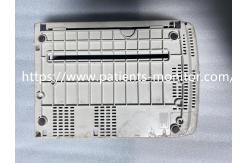
paper) are included. 2. Power Connection: Plug the AC power cord into the device’s rear socket and a grounded
outlet. For battery use, ensure the battery is installed (located
in the bottom compartment). 3. Electrode Connection: Attach the 10 electrode cables (RA, LA, RL, LL, V1-V6) to the
corresponding ports on the device. Apply electrodes to the
patient’s skin (clean and dry) as per standard ECG placement
guidelines. 4. Paper Loading: Open the printer cover, insert the thermal paper roll (print side
facing down), and close the cover until it clicks.
|
||||||||||||
| Product Tags: used Nihon Kohden ECG-1350P electrocardiograph 12-lead ECG machine with thermal printer used patient monitor with warranty |
Related Products
|
BAYER MEDRAD CT Injection Injector System Head Used Good Condition |
|
RESP NIBP SPO2 Intellivue Mx450 Patient Monitor Repair Hospital Use |
|
Mindray Datascope Passport2 Patient Monitor for Hospital ICU Clinic Medical Equipment |
|
Mindray N1 Patient Monitor Used in Good Working for Hospital ICU Clinic Medical Equipment |
|
Mindray IMEC8 Patient Monitor Used-good Whole Machine Medical Equipment Multi-parameter Monitoring |
|
Mindray PM-9000 Patient Monitor Used-good Whole Machine Medical Equipment For Hospital,Clinc,etc. |
Email to this supplier