
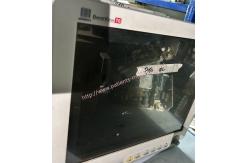
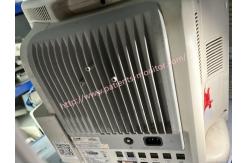
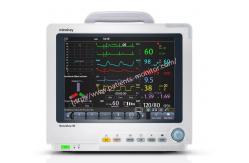
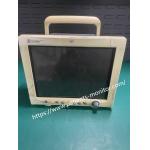
Mindray BeneView T6 Patient Bedside Monitor For Hospital Clinic
|

|
Mindray BeneView T6 Patient Bedside Monitor For Hospital Clinic Mindray BeneView T6 patient monitor
This patient monitor is designed to monitor a fixed set of physiological parameters including ECG, heart rate (HR), respiration (Resp), temperature (Temp), SpO2 ,pulse rate (PR),non-invasive blood pressure (NIBP), invasive blood pressure (IBP), cardiac output (C.O.) carbon dioxide (CO2),oxygen (O2),anesthetic gas (AG), impedance cardiograph (ICG),bispectral index (BIS), respiration mechanics (RM), continuous cardiac output (PiCCO),central venous oxygen saturation (ScvO2),electroencephalograph (EEG), and neuromuscular transmission (NMT).
The patient monitor Features
l Provides audible and visual alarm indications in case of patient or equipment problems. l Enables displaying, reviewing, storing and transferring of real-time data. l Incorporates multiple input devices such as buttons, knob, touchscreen, keyboard and mouse. l Interfaces a clinical information system or central monitoring system. l Enables program upgrade over the network. l Integrates the information of other devices, which include but are not restricted to anesthesia machine and ventilator
Specification
Basic Operations
Turning Power On
1. Before beginning measurements, inspect the patient monitor, SMR, and plug-in modules for mechanical damage and ensure that all cables, connectors, and external accessories are properly connected. 2. Connect the power cord to an AC power source. If the patient monitor is battery powered, make sure the battery is fully charged. 3. Press the 3.power switch on the front of the monitor. The home screen appears, the technical light and the indicator light turn blue and yellow respectively. The alarm light will turn red and turn off along with the technical alarm light after the system beeps. 4. The monitor enters the home screen.
Starting Monitoring
1. Decide what measurements you want to make. 2. Connect the necessary modules, patient cables and sensors. Check that patient cables and sensors are properly connected. 3. Check that patient settings such as [Cat. Patient], [Stimulator], etc., suitable for the patient. 4. Details of the necessary measurements can be found in the appropriate measurement section
Disconnecting from Power
To disconnect the patient monitor from the power supply, follow these steps:
Thank you so much for your attention .If you're interested in ,feel free to contact us .Thank you . |
||||||||||||||||||||||||
| Product Tags: Mindray BeneView T6 Patient Bedside Monitor Clinic Patient Bedside Monitor |
|
BAYER MEDRAD CT Injection Injector System Head Used Good Condition |
|
RESP NIBP SPO2 Intellivue Mx450 Patient Monitor Repair Hospital Use |
|
Mindray Datascope Passport2 Patient Monitor for Hospital ICU Clinic Medical Equipment |
|
Mindray N1 Patient Monitor Used in Good Working for Hospital ICU Clinic Medical Equipment |
|
Mindray IMEC8 Patient Monitor Used-good Whole Machine Medical Equipment Multi-parameter Monitoring |
|
Mindray PM-9000 Patient Monitor Used-good Whole Machine Medical Equipment For Hospital,Clinc,etc. |