
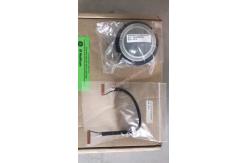
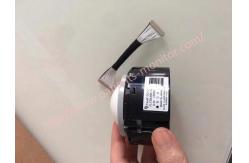
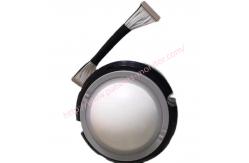
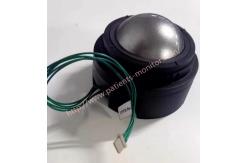
GE LOGIQ P8 Voluson S6 S8 LOGIQ S8 Ultrasound Machine Trackball FLT20UWB-G6
|

|
FLT20UWB-G6 GE LOGIQ P8 Voluson S6 S8 LOGIQ S8 Ultrasound Machine trackball
Control Panel Map1. Power button 2. USB Port x 2 (USB3.0) 3. Touch Panel 4. TGC 5. Reverse key 6. Rotary and Joystick controls 7. User Define keys 8. BT Keys 9. F1: Access Online help/user manual 10. F2: Annotation Arrow 11. F3: Eject media 12. F4: Activates DICOM Job Spooler screen 13. F5: Creates a Fast Key 14. F6: Plays a Fast Key 15. F7: Home/Set Home 16. F8: Text1/Text2 17. F9: Grab last 18. F10: Word delete 19. Tab key 20. M-Mode 21. CW Doppler (Option) 22. PW Doppler 23. PDI/TVI (Option) 24. Color Flow 25. B-Flow (Option) 26. B-Mode 27. Joystick: Depth, Steer, Width 28. Arrow 29. Clear 30. Comment 31. Bodypattern/Ellipse 32. Measure 33. Zoom 34. Trackball and Trackball keys. 35. Auto Optimize 36. L/R key 37. Freeze key 38. Print keys 39. Keyboard rotation 40. Keyboard up/down
Trackball Depending on the current active mode, the trackball can be assigned different functions. Trackball functions are organized into functional groups. The trackball function group is displayed in the lower right corner of the screen. Each group can have one or more controls, which can be selected using the keys on the trackball area, as described below. The trackball area includes:
Trackball - Impaired sensitivity
Trackball has low sensitivity,then Set up the appropriate trackball response time. (via [Speed] and [Acceleration] in the Utility - System
If the trackball issue resolved then return to normal scanning If no ,Clean the trackball,
After cleaning the tracking ball ,and issue is not resolved?Then replace the trackball and then Return to normal scanning
Cleaning the trackball To maintain the correct response of the trackball, clean the trackball frequently with a soft, dry, lint-free disposable cloth; for example, follow the steps below to clean the lens cleaning cloth.
1. ) Remove the ball from the operation panel
2) Clean the crane ring and ball 3.) Clean the protective cover on the aiming ball, X/Y position sensor. When cleaning around the sensor, remove smudges carefully to avoid scratching the guard
4.)After cleaning, reinstall the operation panel and confirm that the trackball moves smoothly..
|
||||||||||||
| Product Tags: LOGIQ S8 Ultrasound Machine Trackball FLT20UWB-G6 Ultrasound Machine Trackball |
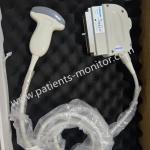
|
CHISON D3C60L Ultrasound Convex Array Transducer Probe for Q Series System Machine Used with Good Condition |
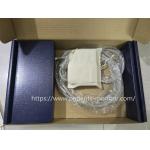
|
Used Good Condition Toshiba PLM-703AT Linear Array Ultrasound Transducer Probe 7.5 Mhz Suitable For Emergency Rooms |
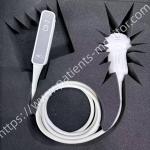
|
PHiliph C9-2 Probe Broadband Curved Array Transducer for Affiniti 30 Ultrasound Machine System 2 - 9 MHz |
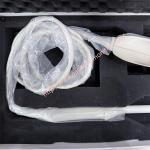
|
Samsung Medison EC4-9IS Endocavity Ultrasound Transducer Probe for Accuvix A30 2013 |
|
GE M5S-D Sector Array Probe Matrix Phased Array Transducer for Voluson E8 Vivid E9 Logiq E9/S8 1.0 - 5.0 MHz |
|
SonoScape 3C-A Convex Probe Curved Array Transducer for Ultrasound Machine Abdominal Obstetrics Gynecology |