
Horizontal Shaped PLC Programmable Logic Controllers Easy Series
|

|
Easy Series Horizontal-shaped Small PLC Product Overview Easy321 and Easy511, the new horizontal compact PLCs of Inovance Easy Series, are developed based on the Autoshop programming platform. Their motion control instructions fully comply with PLCopen standards, supporting mainstream programming languages including ST, LD and SFC. With rich built-in I/O points on the CPU, they are ideal for diverse industrial control scenarios. Easy321 offers three output types (relay, NPN, PNP) and comes with 1 built-in EtherNet port to meet basic networking needs. Easy511 is an NPN output model equipped with the GE21-EN Ethernet card as standard. It features 1 built-in EtherCAT port (supporting EtherNet mode switching) and is compatible with standard Ethernet communication protocols. Both models support flexible expansion, easily adapting to various complex automation applications. Easy321 Core Parameter Details Processing Performance Equipped with a high-performance dual-core processor, it delivers nanosecond-level instruction processing speed, enabling fast response to logic control and basic motion control requirements, and ensuring stable operation of small and medium-sized equipment. Storage Space The user program capacity is 128K steps, with 1MByte of custom variable space, of which 128KByte supports power-off retention. It includes approximately 150K soft components, and soft components numbered 1000 and above all support power-off preservation. Network Communication The main unit comes with 1 built-in EtherNet port, supporting multiple protocols such as Modbus TCP, OPC UA (Server), Socket, Ethernet/IP, PN (Slave), MC (Slave), and Fins (Slave), meeting basic networking and device interconnection needs. Expansion Capability It can connect up to 8 expansion modules; upgrading to the GL20-PS2 power supply allows support for 15 expansion modules. The main unit is equipped with 2 expansion slots, compatible with communication expansion cards like GE21-CAN-485 and storage expansion cards like GE21-TF-RTC. Software Programming Based on the Autoshop programming platform, it complies with PLCopen standards and supports programming languages including ST, LD, and SFC, enabling the embedding of ST execution blocks in ladder diagrams. It supports FB and FC function block encapsulation, as well as data types such as structures, unions, and arrays. The software has a built-in hardware-free simulation function, facilitating offline debugging. Special Functions It can be quickly adapted as intelligent IO via the GE21-RTU configuration card, and no additional software configuration is required when used as a PN slave. It supports custom Chinese variables and associative input, improving program readability and programming efficiency. Easy511 Core Parameter Details Processing Performance Adopting a high-performance dual-core processor with nanosecond-level instruction processing speed, it supports 32-axis high-speed bus control. It can drive 8 axes in cyclic synchronization mode and 12 axes in contour mode, enabling complex synchronous motions such as electronic cam, chasing shear, and flying shear. Storage Space The user program capacity is 128K steps, with 1MByte of custom variable space, of which 128KByte supports power-off retention. It includes approximately 150K soft components, and soft components numbered 1000 and above support power-off preservation, meeting the storage requirements of complex programs. Network Communication The main unit has 1 built-in EtherCAT port (supporting EtherNet mode switching) and comes standard with a GE21-EN Ethernet card. It supports protocols such as Modbus TCP, OPC UA (Server), Socket, and Ethernet/IP. The EtherCAT bus can connect up to 72 slaves, suitable for multi-device networking scenarios. Expansion Capability It can connect up to 8 expansion modules; upgrading to the GL20-PS2 power supply allows support for 15 expansion modules. The main unit is equipped with 2 expansion slots: Slot A comes pre-installed with the GE21-EN card by default, and Slot B is compatible with expansion cards such as GE21-TF-RTC storage cards and GE21-RTU cards. Software Programming Based on the Autoshop programming platform, it complies with PLCopen standards and supports programming languages including ST, LD, and SFC, enabling the embedding of ST execution blocks in ladder diagrams and FB/FC function block encapsulation. The software supports hardware-free simulation and online program consistency comparison. It can enable/disable local modules and EtherCAT slaves via variables, and a single program can be adapted to multiple models. Special Functions Integrated with a self-tuning PID algorithm, it achieves control accuracy of ±1℃ for temperature, pressure, and flow, with overshoot less than 3℃. It supports linear and circular interpolation, as well as automatic scanning and one-click configuration of EtherCAT slaves, realizing servo commissioning without programming. It also supports remote operation and collaborative debugging, facilitating on-site maintenance. Product Model List Easy321 Series This series is classified by I/O point counts and output types, and also includes cost-effective S models for basic control scenarios.
Easy511 Series This series is mainly divided by I/O point counts, with mainstream models focusing on multi-axis motion control and high-speed bus communication.
Industry Applications of Easy321 & Easy511
Frequently Asked Questions Q1: The Easy511's EtherCAT port can't detect the servo, and the bus
keeps reporting a "slave not found" fault. What should I do? A1: First, check the wiring direction--the PLC's EtherCAT OUT port must connect to the servo's IN port (don't reverse IN/OUT like you would with regular Ethernet). Then,
check the terminal resistor: the last servo on the bus needs a 120Ω
resistor enabled (some servos use a DIP switch, others are
software-set). Also, confirm the servo's station address--if you
set it to "auto-assign" in software but the servo is locked to a
fixed address, a conflict will occur. This is a super common
mistake in German and Italian factories that mix different brand
servos. Q2: The Easy321's digital input signal is unstable--sometimes it
shows "on" and sometimes "off" when the sensor is triggered. How to
fix it? A2: This is almost always a grounding or wiring issue. First, use shielded 24VDC cable (don't use cheap unshielded wire, which is common in Southeast
Asian budget projects) and ground the shield layer at only one end (two-end grounding creates a ground loop and interferes with
signals). Then, check the sensor's power supply--if the voltage
drops below 21.6VDC when multiple sensors are triggered at the same
time, add an independent power supply for the sensors. Also, keep
the PLC away from welding machines or large motors (a frequent
issue in Turkish textile factories)--electromagnetic interference
will mess up the input signals. Q3: I can't download the program to Easy321/Easy511 via Ethernet.
The software says "connection failed". What's wrong? A3: First, check the IP address--the PLC's default IP is 192.168.0.1, so your computer's IP must be in the same subnet (e.g.,
192.168.0.100). Then, test the Ethernet cable--use CAT5e or better
(crossover cables don't work with these models). Also, disable your
computer's firewall--industrial laptops in Europe often have strict
firewalls that block the PLC's communication port (TCP 502). If
you're using a network switch, make sure it's not a managed switch
with port isolation turned on (this is a hidden trap many new
engineers fall into). Q4: The Easy321's relay output burns out quickly when controlling
220VAC contactors. Why does this happen? A4: The Easy321's relay output can only handle 2A max per channel. If you connect a 220VAC contactor directly, the inrush current
when the contactor pulls in will fry the relay contacts in a few
days. The fix is simple: add a small intermediate relay (like Omron MY series) between the PLC and the contactor. Use the
PLC's relay to trigger the intermediate relay, and let the
intermediate relay handle the high current of the contactor. Also,
add a surge suppressor across the contactor coil--voltage spikes
when the coil turns off are another big cause of relay damage. This
trick is used in every French food packaging factory we've worked
with. Q5: The Easy511's multi-axis motion control has synchronization
errors--for example, the printing roller and conveyor speed don't
match, leading to distorted patterns. How to adjust? A5: First, calibrate the electronic gear ratio in the Autoshop software. You need to input the servo's encoder
resolution (e.g., 2500 pulses/rev) and the mechanical transmission
ratio (e.g., pulley ratio 1:2) correctly--many Italian printing
factory technicians skip this step and wonder why the sync is off.
Then, set the EtherCAT bus cycle to 1ms (the default might be 2ms, which is too slow for multi-axis sync).
If you're using pulse control instead of EtherCAT, check for loose
wiring--vibration from production lines in Southeast Asia often
causes pulse signal wires to come loose. Q6: The Easy511 overheats and shuts down in Middle Eastern
workshops where the temperature hits 50℃. What's the solution? A6: The Easy511's operating temperature range is -20℃ to 55℃, but it needs good ventilation to handle 50℃. First, don't stack
expansion modules too tightly--leave at least 5cm of space around the PLC in the control cabinet. Avoid mounting the cabinet
in direct sunlight (common in outdoor workshops in Saudi
Arabia)--add a heat shield on the cabinet roof or install a small cabinet air conditioner (100W is enough). Also, check if the power supply is
overloaded--if you have more than 8 expansion modules, upgrade to
the GL20-PS2 power module, which generates less heat than the
standard power supply. Q7: The Easy321 can't recognize the GL20 expansion module--what's
the issue? A7: First, confirm compatibility--Easy321 only supports GL20/GE20 series expansion modules (GE30 modules won't work). Then, reset the hardware configuration:
open Autoshop, delete the old module configuration, re-add the GL20
module, and download the new configuration to the PLC. If it still
doesn't work, clean the module's metal contacts with a dry
cloth--dust in Indian textile factories often builds up on the
contacts and causes poor connections. Don't use alcohol or
water--this will damage the contacts. Finally, try plugging the
module into a different expansion slot to rule out a faulty slot. Q8: The Easy321 can't communicate with Modbus RTU devices like HMIs
or inverters. The HMI shows "no communication". What to do? A8: First, check the RS485 wiring--A connects to A, B connects to B (reversing them is the most common mistake in Malaysia). Use a
multimeter to measure the voltage between A and B--it should be 3-5VDC when the bus is idle (if it's 0V, the wiring is wrong). Then,
match the communication parameters: baud rate (e.g., 9600), data
bits (8), stop bits (1), parity (none) must be the same on both the
PLC and the device. Also, make sure each device has a unique Modbus address (1-247)--duplicate addresses are a nightmare in factories with
multiple inverters. If the cable is longer than 100m, add a 120Ω
termination resistor at both ends of the bus. Q9: The Easy511's digital output shows "on" in the software, but
the actuator doesn't move. Why? A9: For TN (NPN transistor) outputs (the only type for Easy511), the wiring is critical: connect the
actuator's positive terminal to 24VDC, and the negative terminal to
the PLC's output pin. Many European engineers mix this up with PNP
wiring, and the actuator won't get power. Use a multimeter to
measure the output pin--when it's "on", it should be close to 0V
(ground); when it's "off", it should be open circuit. If the
voltage is correct but the actuator doesn't move, check the
actuator's power supply (it might be dead) or the actuator itself
(a blown fuse is common). Q10: The Easy321/Easy511 program runs fine but suddenly stops for
no reason. What causes this? A10: First, check the PLC's mode switch--someone might have
accidentally flipped it from RUN to STOP (common in busy factories with multiple operators). Then, check
the power supply--voltage fluctuations in Southeast Asian grids
often trigger the PLC's undervoltage protection. Install a voltage
stabilizer if this happens often. Also, check the program for infinite loops--if a loop runs too long, it will exceed the PLC's maximum scan
time (100ms by default) and force the program to stop. Use the
Autoshop's "monitor" function to check the scan time--if it's over
100ms, optimize the loop code. Korean factory technicians often run
into this issue when writing complex logic programs. Product Certifications & Quality Assurance Compliance Certifications for Major Global Markets Both PLC models have obtained authoritative certifications across multiple regions, enabling direct market entry without additional modifications and meeting overseas industry access requirements:
Full-Lifecycle Quality Assurance System Addressing the pain points of overseas customers such as "slow after-sales response and high maintenance costs", a comprehensive quality control and localized service system covering the entire product lifecycle has been established:
|
||||||||||||||||||||||||
| Product Tags: Horizontal Shaped PLC Horizontal PLC Programmable Logic Controllers Easy Series PLC |
|
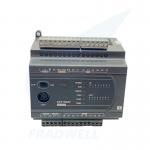
DVP PLC for Small Automation – CE/UL Certified, 0.1μs Instruction |

|
WAGO PFC200 G2 | Cybersecurity PLC for EU CRA 2026 |
|
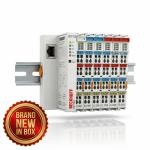
Beckhoff EK1100 EtherCAT Couplers & Terminals | New in Box |

|
Siemens LOGO! 9 Logic Module 6ED1052 Series | Cloud-Native IIoT Controller - 2026 New Generation |
|
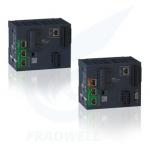
Schneider Modicon M262 IIoT PLC Controller - 2026 Latest Version |
|
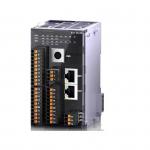
XL5H EtherCAT Bus Controller Card Type Ultra Fast Speed For Versatile Control Needs |