
VersaMax Micro PLC Compact Controller For Light Industry Automation
|

Detailed Product Description
|
VersaMax Micro PLC | Compact Controller for Light Industry
Automation VersaMax Micro PLC Compact, high-performance controller built for light industry
automation. Its small footprint fits tight electrical cabinets,
while modular I/O expansion (up to 170 points) adapts to packaging
lines, material conveyors, and small production systems. UL/CE
certified for reliable, hassle-free operation in light-duty
automation applications. Key Features
Technical Specifications
Product Models
Application Fields Industrial Automation Production Lines: Controls various production line processes including material
conveying, equipment start-stop, and quality inspection for
complete automation. Packaging Machinery: Precisely controls packaging processes such as metering, filling, and sealing to ensure packaging quality and efficiency. Motion Control: When paired with servo modules, controls servo motors for high-precision positioning and speed control applications including CNC machine tools and robotics. Frequently Asked Questions Using Proficy Machine Edition to connect the PLC via serial port
(RJ45), it keeps showing "connecting" but never succeeds—Is the
cable broken? Check these points: ① Use genuine IC200CBL500A cable instead of
homemade; ② Verify Pin 1 on RJ45 end is correctly identified; ③
Ensure COM port isn't occupied by other applications. Also confirm
baud rate (default 19200), parity (odd), and stop bit (1) match PLC
settings. The PLC powers on normally, but I/O modules don't respond—Is the
grounding incorrect? Check DIN rail grounding—all modules must be mounted on a single
7.5mm×35mm DIN rail with conductive, unpainted finish. The rail
must be properly grounded to factory main ground (resistance ≤4Ω)
using compliant DIN EN 50032 standard rails. The 15-pin SNP port has no communication—The cable and software
settings are correct, but the LED doesn't flicker? Test 5V power on SNP port first. Solutions: ① Use RJ45 RS-232 port
instead; ② Replace internal fuse of SNP port; ③ Use workaround on
RS-485 port if port is damaged. Avoid hot-plugging SNP cable to
prevent port damage. The PLC works fine in the lab but keeps tripping in Southeast
Asia's high-temperature workshops—Why? Install cooling fan in electrical cabinet and mount PLC away from
heat sources. For unstable grids: ① Use voltage stabilizer; ②
Replace with wide-voltage version (19.2-30VDC). Clean dust from PLC
vents monthly to prevent overheating. Modbus TCP communication with Allen-Bradley devices fails—The
protocol is supported, but no data is received? Update to firmware 4.0 or higher. Ensure: ① PLC is configured as
Server and Allen-Bradley device as Client (or vice versa); ② Don't
exceed 8 Modbus TCP channels limit; ③ Disable factory network
firewalls temporarily if blocking port 502. After expanding analog modules, the PLC displays "module not
recognized"—The firmware is up to date. What's wrong? Micro series supports maximum of 4 expansion modules. Connect
modules in order: "Controller → Power Module → Expansion Modules".
Ensure expansion cable (IC200CBL501) is fully inserted and
controller power capacity is adequate. The PLC's 5V power output is insufficient to drive external
sensors—Overseas sensors draw more current than expected. Use independent 5V regulated power supply for sensors—avoid loading
PLC's internal power (limited to 100mA). For 24VDC sensors, connect
to PLC's 24VDC power input for more stable current output. Online programming causes PLC to freeze—Can't edit logic without
stopping the controller. Only VersaMax Micro Plus models with firmware 4.0+ support online
programming. For older models: ① Backup program first; ② Use
offline programming during production breaks. Update firmware to
enable online programming capability. The PLC's digital input points don't respond to NPN sensors—Sensors
work when tested independently. Check input module type and wiring—sinking input modules require
sensor output to connect to GND, while sourcing modules connect to
24VDC. For cable lengths exceeding 50m, use shielded cable and
ground one end to prevent electromagnetic interference. Voltage mismatch—The PLC is 24VDC, but the overseas factory uses
110VAC. How to adapt? Use reliable AC-DC converter (110VAC-to-24VDC regulated, 50W or
higher). For unstable voltage regions, add voltage stabilizer
before converter. Choose UL/CE-certified converters to comply with
overseas safety standards. |
||||||||||||||||||||||||||||||||||||||||||||||||||||||||||||||||||||||||||||||||||||||||||||||||||||||||||||||||||||||||||||||||||||||||||||||||
| Product Tags: VersaMax Micro PLC Compact PLC Compact Controller Light Industry VersaMax Micro PLC |
Related Products
|
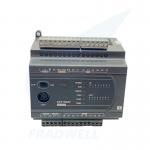
DVP PLC for Small Automation – CE/UL Certified, 0.1μs Instruction |

|
WAGO PFC200 G2 | Cybersecurity PLC for EU CRA 2026 |
|
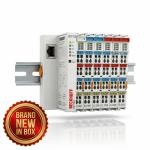
Beckhoff EK1100 EtherCAT Couplers & Terminals | New in Box |

|
Siemens LOGO! 9 Logic Module 6ED1052 Series | Cloud-Native IIoT Controller - 2026 New Generation |
|
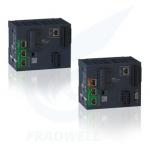
Schneider Modicon M262 IIoT PLC Controller - 2026 Latest Version |
|
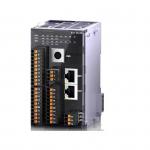
XL5H EtherCAT Bus Controller Card Type Ultra Fast Speed For Versatile Control Needs |
Email to this supplier