
Schneider Modicon M262 IIoT PLC Controller - 2026 Latest Version
|

Detailed Product Description
|
Schneider Modicon M262 IIoT PLC Controller - 2026 Latest Version The Modicon M262 is an IoT-enabled logic and motion controller
launched by Electric, designed to deliver high performance,
seamless connectivity, and flexible scalability for industrial
automation applications. It integrates powerful processing
capabilities, multi-protocol communication, and advanced motion
control functions, making it ideal for complex machine automation
scenarios across various industries. Key Features High-Performance Processing
Versatile Programming Options
Rich Communication Interfaces
Advanced Motion Control
Abundant Storage Resources
Hardware Specifications
Modicon M262 Core Technical Specifications
Modicon M262 Full Model List
Industry Applications & Real-World Use Packaging Machinery Scenario 1: High-Speed Food Packaging Lines For automated packaging lines in overseas food factories (e.g.,
European snack brands, Southeast Asian beverage manufacturers) that
need to handle "product counting, film sealing, labeling
positioning, and cartoning linkage" simultaneously—Modicon M262's
dual-core processor (500µs short cycle time) enables precise
synchronization of these actions. Its 8-axis/16-axis motion control
supports packaging speeds up to 300 units per minute, and MQTT
protocol compatibility allows remote monitoring of packaging
qualification rates, reducing manual inspection costs.Scenario 2: Pharmaceutical Bottle Tracing & Sealing For small-bottle filling lines in European and American
pharmaceutical companies requiring "accurate filling volume control
+ bottle QR code printing + capping torque monitoring"
linkage—Modicon M262's OPC UA interface seamlessly connects to
tracing systems. Its high-speed I/O provides real-time feedback on
capping pressure to avoid under-sealing or over-sealing, meeting
FDA compliance requirements.Material Handling Scenario 1: Automated Storage and Retrieval Systems (AS/RS) For stackers and conveyor systems in large overseas logistics
centers (e.g., Amazon Europe Fulfillment Centers, Southeast Asian
port bonded areas) that need "multi-equipment collaborative
positioning + path optimization"—Modicon M262 supports 5
independent Ethernet networks, enabling physical isolation of
stacker control, conveyor speed regulation, and WMS system
communication to prevent cargo misalignment caused by signal
interference. Its 1GB flash memory stores multiple path schemes for
different warehouse layouts.Scenario 2: Production Line Material Conveyor Linkage For assembly lines in automotive parts factories (e.g., Mexican
auto parts suppliers) requiring "robot picking + belt conveying +
material buffer zone management" synchronization—Modicon M262
offers seamless compatibility with Schneider inverters and servo
motors. Via CANopen protocol, it quickly responds to robot signals,
reducing material waiting time and improving production line OEE
(Overall Equipment Efficiency).Food & Beverage Scenario 1: Dairy Pasteurization Lines For dairy factories in New Zealand and Australia needing "real-time
temperature control + precise pasteurization timing + production
line speed linkage"—Modicon M262's non-volatile RAM preserves
critical process parameters (e.g., 72℃/15-second pasteurization
standards) even during power outages, avoiding batch scrapping.
Modbus RTU compatibility allows connection to temperature sensors
and PID regulators for stable pasteurization.Scenario 2: High-Speed Sorting for Bottled Water Production Lines For bottled water manufacturers in the Middle East and Africa,
sorting lines require "bottle inspection (damage/leakage) +
multi-channel diversion + counting statistics"—Modicon M262's 4
fast inputs connect to vision inspection sensor signals, and 4 fast
outputs control sorting cylinders with a response time < 1ms,
preventing missed or incorrect sorting for lines handling 2,000
bottles per hour.Frequently Asked Questions Q: When connecting M262 to a computer via USB, Windows shows
"Device not recognized" or "Driver signature error," and I can't
connect to the programming software. What should I do? A: This is the most common driver issue in overseas installations,
especially on Windows 10/11. The main reason is that your driver
version is too old (versions before 2019 lack Microsoft digital
signatures, so the system blocks them). The solution is simple: ①
First uninstall the old Schneider USB driver from your computer; ②
Download the latest driver for your OS from Schneider's official
website (v14.15.0.0 or higher for Windows 10, v14.13.0.0 for
Windows 7) - make sure it's the Microsoft-signed version; ③ Restart
your computer after installing the driver, then reconnect the USB
cable. At this point, "SE RNDIS PSX M262 Controller" should appear
in Device Manager, and you can connect to EcoStruxure Machine
Expert normally. Additional tips: Use a USB cable no longer than 2
meters, and prefer rear USB ports on desktop computers in
industrial environments to reduce interference. Q: After connecting 24VDC power to M262, the power light flashes
and the controller won't start. What's wrong? A: First rule out power supply issues - M262 requires a PELV-level
power supply (complying with IEC 61140), and for the North American
market, it must meet UL Class 2 specifications (max 100VA). Using a
regular switching power supply will likely cause incompatibility.
Also check the voltage range: it must be between 20.4~28.8VDC, and
voltage ripple should not exceed ±10% (otherwise the controller
will trigger protective restart). Another easy-to-miss point: Don't
reverse the positive and negative terminals (even though there's
reverse polarity protection, it can occasionally cause power
lockup) - just disconnect and reconnect the wires. If expanding
with multiple modules, calculate the total power consumption to
avoid overloading the power supply. Q: After setting up the WebVisu function on M262, I can't open it
in the browser, or HTTP automatically redirects to HTTPS
unsuccessfully. How to fix this? A: This is a common software configuration pitfall related to
Machine Expert versions and browser cache. First confirm the
software version: WebVisu connection type settings are only
available in v2.0.3 and above. Solution: ① Open the project's post
configuration file (machine.cfg), find parameter .Param(1107), and
adjust as needed: set to 2 to support both HTTP and HTTPS, or 0 to
disable automatic redirection; ② Download the modified
configuration to the controller, then restart the browser (clear cache - old redirection rules will persist otherwise); ③ If
it still doesn't work, check if the controller's IP and the
computer are on the same subnet, and ensure firewalls don't block
ports 80 (HTTP) and 443 (HTTPS). Q: After connecting Sercos servos to the M Series (motion control
type), it shows "Synchronization status: Not synchronized" and the
axes won't move. What's the issue? A: This is a high-frequency error in overseas motion control
applications, caused by three main reasons: ① First confirm the
model - only M15/M25/M35 series have Sercos interfaces; L series do
not support Sercos at all, so don't buy the wrong model; ② Wiring
issues: Use shielded twisted-pair cables for the Sercos bus,
separate them from power cables (don't put them in the same
trunking), and ground the shield at one end - interference will
cause synchronization failure; ③ Axis configuration issues: If a
servo reports an error (e.g., overload, emergency stop not reset),
the entire motion group will get stuck in "Configuring" status.
First troubleshoot the faulty servo and temporarily disable it -
the motion group will then synchronize. Also, don't set the
synchronization cycle too strictly: use a 2ms cycle for 16-axis
synchronization for better stability. Q: When connecting third-party Ethernet/IP devices (e.g., sensors,
inverters), M262 shows "Communication timeout," but the devices
themselves are working. How to resolve this? A: This is a protocol compatibility issue. By default, M262 sends
"explicit messages" to Ethernet/IP devices to transfer parameters,
but many third-party devices (e.g., some niche European/American
sensor brands) don't support this. Solution steps: ① Use the
EIPSC.EIP_Control function in the programming software to stop the
current connection (set parameter I_UI_Control to 1); ② Find the
corresponding remote adapter and set "Disable Remote Adapter" to
true; ③ Restart the connection with EIPSC.EIP_Control (set
parameter to 0) - this will skip explicit messages and establish
communication directly. If using Machine Expert v2.0 or above, the
software will automatically skip explicit messages if no user
parameters are defined in the .eds file, making it more convenient. Q: After the controller loses power, the previously set process
parameters (e.g., packaging speed, positioning coordinates) are
lost. Why? A: This is not a hardware failure - you chose the wrong parameter
storage path. M262's regular RAM is maintained by a capacitor after
power loss, which only lasts 1000 hours - parameters will
definitely be lost after long-term power outages. The 512KB
non-volatile RAM (NVRAM) is specifically for storing critical
parameters. Solution: In the programming software, manually assign
parameters that need to be retained (e.g., process variables,
device configurations) to the NVRAM area, or back up parameters to
an SD card - this way, parameters won't be lost even if power is
off for days. It's also recommended to export parameters to the SD
card regularly to avoid accidents. Q: After expanding TM3/TM5 modules, the controller can't detect
them, or the modules report errors. How to troubleshoot? A: First check the physical connection: Ensure the bus connectors
between modules are fully inserted and screws are tightened - loose
connections are common in vibrating industrial environments. Then
check power supply: The power consumption of expansion modules adds
up. M262 provides a maximum of 25W for TM3 modules and 45W for TM5
modules. If expanding more than 10 TM5 modules, power the modules
separately to avoid overloading the controller's power supply.
Also, note the module limit: Up to 7+7 local TM3 modules are
supported, and up to 64 distributed TM5 modules - don't exceed the
limit. Additionally, safety modules must be installed in specific
positions and shouldn't be mixed randomly with regular modules. Q: During operation, the logic program suddenly freezes, and motion
axes occasionally lose steps - especially when the factory power
grid fluctuates. How to fix this? A: The core issues are anti-interference and power stability. ①
Power supply: Equip M262 with a 24VDC power supply with filtering
function and install a surge protector to avoid power grid
fluctuations affecting the controller (M262 only has 3ms immunity
to voltage sags; large fluctuations will trigger reset); ② Wiring:
Separate control cables from power cables (e.g., motor wires), use
twisted-pair shielded cables for encoder wires, and ground the
shield to reduce electromagnetic interference (inverters and
welding machines are major interference sources in factories); ③
Programming: Don't run non-critical communication tasks (e.g.,
cloud data upload) and motion control tasks in the same cycle.
Leverage the dual-core advantage: Run motion control on Core 1 and
communication on Core 2 to avoid lag. |
|||||||||||||||||||||||||||||||||||||||||||||||||||||||||||||||||||||||||||||||||||||||||||||||||||||||||||||||||||
| Product Tags: Modicon M262 dual-core PLC IoT controller for motion control industrial PLC with high-speed logic |
Related Products
|
DVP PLC for Small Automation – CE/UL Certified, 0.1μs Instruction |

|
WAGO PFC200 G2 | Cybersecurity PLC for EU CRA 2026 |
|
Beckhoff EK1100 EtherCAT Couplers & Terminals | New in Box |

|
Siemens LOGO! 9 Logic Module 6ED1052 Series | Cloud-Native IIoT Controller - 2026 New Generation |
|
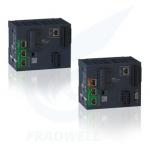
Schneider Modicon M262 IIoT PLC Controller - 2026 Latest Version |
|
XL5H EtherCAT Bus Controller Card Type Ultra Fast Speed For Versatile Control Needs |
Email to this supplier