
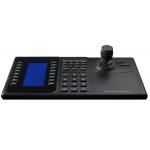
5100K PTZ Keyboard Controller ONVIF Protocol Support
|


|
PE5100K Keyboard controller for network Matrix switcher or Platform (Milestone, etc.) for its ptz control
Quick Detail:
Camera switch: First select the target decoder channel number in IVS client, “N+WIN”; “N” is for window number. Second, enter the camera number which you want display ‘N+CAM’, ‘N’ is for camera number. PTZ control: control the target camera’s direction by keyboard joystick control up/down/left right, the PTZ turning will follow joystick operation, when the joystick return to center position, PTZ stop moving. Preset setting: setting the preset for target camera; operation ‘N(preset number)+SHOT+PRESET’ Calling preset: calling the camera with preset; ‘N+PRESET’, ‘N’ is for preset number. Monitor splitting: increase or decrease the windows on monitor by splitting; ‘N+MON+N+MULT’, N+MON is for target monitor number; ‘N+MULT’ is for splitting quantity.
Description:
PE5100K is keyboard controller for Pearmain Network Matrix switcher, also it is a universal network keyboard controller for plafform e.g. Milestone, Huawei IVS, etc. on base of SDK integration.
Specifications:
Dimensions:
|
||||||||||||||||||||||||||
| Product Tags: PTZ Keyboard Controller 5100K Keyboard Controller ONVIF Keyboard Controller |

|
CCTV Keyboard Controller Network 4D Joystick Decoding Keyboard With Touch Screen |

|
PE5128ST IP PTZ keyboard Controller For IP Camera Decoding & Control, with inner screen to display,1ch HDMI Output |
|
5100K PTZ Keyboard Controller ONVIF Protocol Support |

|
CCTV Keyboard Controller,Network 4D Joystick Decoding Keyboard With 7 Inch LCD Screen |

|
PTZ Keyboard Controller , Pelco D/P Protocol And DVR Control Function |

|
Network Keyboard Controller, With IP Camera Decoding And PTZ Control, 1ch HDMI Output@25 Split, Video Over IP |