
1U Rack 4K EFP To Fiber Camera Systems For Live Event With Base Station Control
|


|
1U Rack 4K EFP To Fiber Camera Systems For Live Event With Base Station Control
Overview
This product is specially designed for SONY cameras and has excellent image quality for multi-camera production. The scene brings an unparalleled convenience experience, especially suitable for a multi-camera production environment in the field of broadcasting. With the multi-camera collaborative setup, you will fully unlock the powerful performance advantages of Sony full frame and S35 cameras: the charming shallow depth of field effect can accurately focus on the subject while blurring the background, creating a professional feel akin to cinematography; the wide and unparalleled dynamic range ensures that every detail, whether highlights or shadows, is captured with exquisite detail; and the vibrant color gamut perfectly reproduces true colors, making the image come alive. Whether it's a live broadcast that's exciting, a concert that's
moving, a TV show that's gripping, or any other fast-paced,
multi-camera collaboration. It can easily handle demanding
production projects and deliver stunning film-level visual effects.
Function
1 channel forward 12G SDI video with local loop out 1 channel reverse PGM 1 channel 8Pin REMOTE 1 channel reverse 2.5mm REMOTE 1 channel 3.5 Grip 1 channel 12P Hirose ODC Fiber 970 battery power supply
Features
Technical Characteristics 1. Supports ST-2082-1 (12G), ST-2081-1 (6G), ST-424 (3G), ST-292
(HD) and ST-259 (SD); Optic Characteristics Wavelength: 1310nm (single mode dual fiber), 1270nm/1330nm (single mode single fiber) Fiber type: 9/125um single mode Rate: 12Gbps Transmitter power: 0~-3dB Receiver sensitivity: -12dB Fiber connector: ODC Transmission distance: single-mode fiber, 10km
Pictures Application
Broadcasting Video Transmission High Quality HD-SDI Video Monitoring in Traffic Operation (ITS) High Quality Images METRO Security Avionic Surveillance System Oil & Gas Perimeter Intruder
Connection Diagram
Reminder
1. It is recommended to use the short optical fiber link for the first time to ensure that all the functions of the equipment are normal, and then do long-distance transmission
2. The signal of the fiber optic converter can be output to the power amplifier, but the audio source of the power amplifier can not be output the audio source signal to the fiber optic converter, otherwise the equipment will be burned
Troubleshooting of the indicator
1: Power indicator is abnormal (POWER) Answer: Check whether the power adapter meets the equipment requirements or the power adapter fails Whether the socket is not tight or loose
2: Fiber indicator is abnormal (FIBER) Answer: Check whether the optical fiber interface is loose and not plugged in Check whether the optical fiber is too attenuated
3: Video indicator is abnormal (VIDEO) Answer: Check the signal source Replace the video cable
4: Data indicator is abnormal (DATA) Answer: Check the COM port, whether the baud rate is consistent Check whether the serial port cable is connected backward
Attention
Lightning protection, static electricity, and grounding:
It is recommended that when installing the device, consideration should be given to the impact of grounding by lightning and prevention measures. Strong static electricity will damage the optical device and data chip in the equipment. It is recommended that when plugging/unplugging the data port of the optical converter, please disconnect the power supply of the optical converter first.
Fiber and optical components:
Be careful when plugging the optical fiber, as the optical components of the optical converter are very fragile, and you should avoid causing damage to the optical components. It should be noted that the light source produced by the optical components of the optical converter will be harmful to the eyes, so do not have direct eye contact with the optical components ofthe optical converter. If you need to detect the optical power of the optical converter, please use the optical power meter.
Equipment and installation procedures:
1. Optical fiber installation: Please carefully insert the optical fiber into the optical fiber interface of the optical terminal after confirming that the optical fiber link meets the installation requirements. 2. Equipment installation: The equipment can be distinguished between transmitter and receiver, and it is stated clearly on the label and printed on the chassis of the equipment.
Packaging & Shipping
Payment
Welcome to inquire!
Ho-Link Technology Co., Ltd Contact Information
Company Information Ho-link Technology Co., Limited is a leading manufacturer of fiber optic transmission products in
China. We manufacture a full range of fiber optic transmission
products, from Media converters, Video converters, to Optical
transceivers and POE switches. Besides, we provide OEM/ODM service
for many famous companies in the Telecom industry all over the
world. Every month, we can turn out 10,0000 units of the above products.
Before production, our raw materials are checked again to make sure
they are compliant with RoHS Directives. And all our output is CE
and FCC-marked, finding good markets in many countries and regions,
including United Kingdom, Spain, Italy, Poland, Turkey, US, Canada,
Brazil, Australia, Indonesia, Singapore, Malaysia, Vietnam, and
India. Welcome to source high-quality products at competitive prices from
us.
|
|
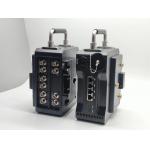
Anton Goldmount 5x 12G SDI Fiber Transmission Mux With 1000M Network |
|
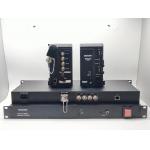
HD/4K Camera Fiber Optic Converter with 1GB Network |

|
5x 12G SDI Fiber Transmission Mux With 1000M Network |
|
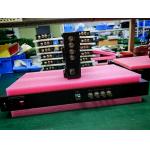
4K Camera Fiber Adapter with LC Fiber Connector |
|
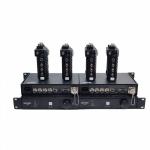
1U Rack 4K EFP To Fiber Camera Systems For Live Event With Base Station Control |

|
4 in 1 EFP 12G-SDI Video to Camera Fiber Optic Transmission System With 4pcs Transmitter and 1pc Rack CCU |